justinl87015756
Participant
October 4, 2018
Answered

Pencil tool starts with bounding box

  • October 4, 2018
  • 5 replies
  • 2669 views

Hi there

Is there any setting to switch off the bounding box when drawing with the pencil tool as soon as you draw?
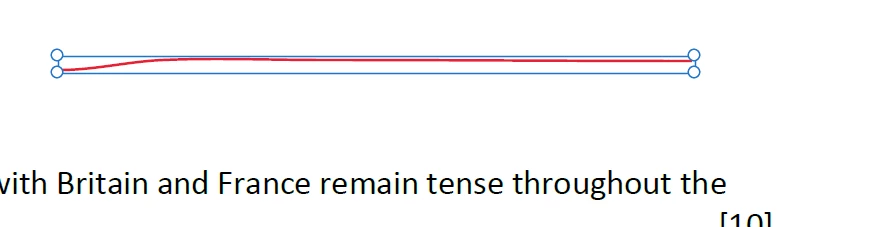
The previous versions did not have this issue and it is problematic for the work we do.

    This topic has been closed for replies.
    Correct answer aharis92

    Hi,

    With the latest Adobe Acrobat and Reader, we have fixed the issue. Please refer to the article https://helpx.adobe.com/acrobat/kb/boundary-appears-drawing-tool-comment.html

    Feel free to connect in case of any queries

    Regards,

    Ammar

    5 replies

    Participant
    January 7, 2022

    I find that the registry modifications indicaed in here https://helpx.adobe.com/in/acrobat/kb/boundary-appears-drawing-tool-comment.html have no effect for Acrobat Reader DC (2021.007.20099 64-bit). Is there an updated registry file?

    November 10, 2020


    Followed the solution instruction, but it did not fix my problem. Still have the boundary box on the first stroke.


    My laptop is MacBook Air MacOS 10.13.

    Did not have the folder (/Library/Application Support/Adobe/Acrobat/DC/Preferences) in your solution to place the plist. However, I placed the plist in /Library/Application Support/Adobe/........../DC/Preferences.


    What did I do wrong?

    Do you have a new fix for Reader DC on MacOS 10.13?


    Regards,

    Dave

    November 9, 2020

    My laptop is MacBook Air MacOS 10.13. 

    Did not have the folder (/Library/Application Support/Adobe/Acrobat/DC/Preferences) in your solution to place the plist. However, I placed the plist in /Library/Application Support/Adobe/........../DC/Preferences.


    It did not fix the problem.


    Regards,

    Dave


    aharis92
    aharis92Correct answer
    Participating Frequently
    October 11, 2018

    Hi,

    With the latest Adobe Acrobat and Reader, we have fixed the issue. Please refer to the article https://helpx.adobe.com/acrobat/kb/boundary-appears-drawing-tool-comment.html

    Feel free to connect in case of any queries

    Regards,

    Ammar

    November 10, 2020

    Followed the solution instruction, but it did not fix my problem. Still have the boundary box on the first stroke.


    My laptop is MacBook Air MacOS 10.13.

    Did not have the folder (/Library/Application Support/Adobe/Acrobat/DC/Preferences) in your solution to place the plist. However, I placed the plist in /Library/Application Support/Adobe/........../DC/Preferences.


    I do cmd+Z (undo) and cmd+shift+A (un-select), but it is not a permanent.


    What did I do wrong?

    Do you have a new fix for Reader DC on MacOS 10.13?


    Regards,

    Dave

    aharis92
    Participating Frequently
    October 5, 2018

    Hi,

    Thanks for reporting the issue to us.

    The behaviour of pencil tool is as was in earlier versions except the circular grabbers (earlier it used to have rectangular grabbers). The first stroke of pencil in one session will have this outline and grabbers and the rest will be drawn without any outline.

    Although, we have noted the issue in our backlog.

    Regards,

    Ammar

    justinl87015756
    Participant
    October 5, 2018

    Hi Ammar

    We have been using Adobe Reader in our workflow for a long time and never had this issue affect us as badly as it is now.

    Is there no way of ensuring that this issue is prioritised? We are an educational company and we have a team of teachers that use the program to mark assignments.

    Alternatively could you offer a different solution to overcome this problem we are having?

    aharis92
    Participating Frequently
    October 6, 2018

    Hi,

    We apologise for all the inconvenience caused with the introduction of the mentioned bug. We have noted down the issue in our backlog and will update you as soon as the fix for this is available.

    Meanwhile, you can use CTRL+Z/CMD+Z to remove the grabbers/outline when it appears on first stroke of the free form tool.

    OR

    If you are using Adobe Acrobat, you can add Free form tool to the quick toolbar to use it from outside the comment app. This will also stop creating the grabbers around the first stroke of pencil

    Regards,

    Ammar