
Answered
Printing Issues with Acrobat Reader v25.001.20744 on Windows 10 LTSC
Following the recent update to Adobe Acrobat Reader version 25.001.20744, we’ve encountered consistent issues when printing PDFs on Windows 10 21H2 LTSC.
Specifically:
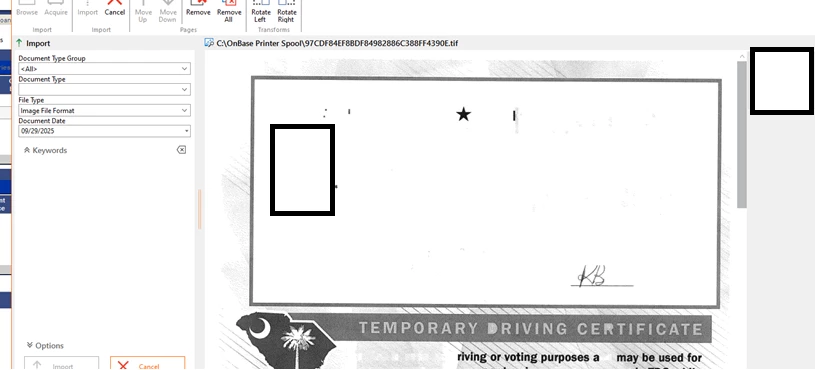
- Scanned documents and PDFs appear cut off when printed
- Embedded images are missing or not rendered, despite being visible in the file
- The issue occurs across multiple printers and drivers, including virtual drivers like Hyland Virtual Print Driver
- Printing the same files from Edge or Chrome works perfectly
- Reverting to a previous version of Acrobat Reader resolves the issue, but reinstalling v25.001.20744 causes it to return
This behavior strongly suggests a bug introduced in the latest release. We haven’t seen other reports yet, so we wanted to raise this here in case others are experiencing similar problems or Adobe is already investigating.
Please advise if there’s a known workaround or if this issue is being tracked.
This was a PDF that was printed from adobe. Clearing the ID is missing informaion when printed from adobe. This doesnt happen when printing the form from Chorme or Edge.


 AdChoices