
cyinh8151094
Participant
November 30, 2016
Question

Problem about automatic adjust document when enlarging or reducing the screen size
  • November 30, 2016
  • 1 reply
  • 1349 views

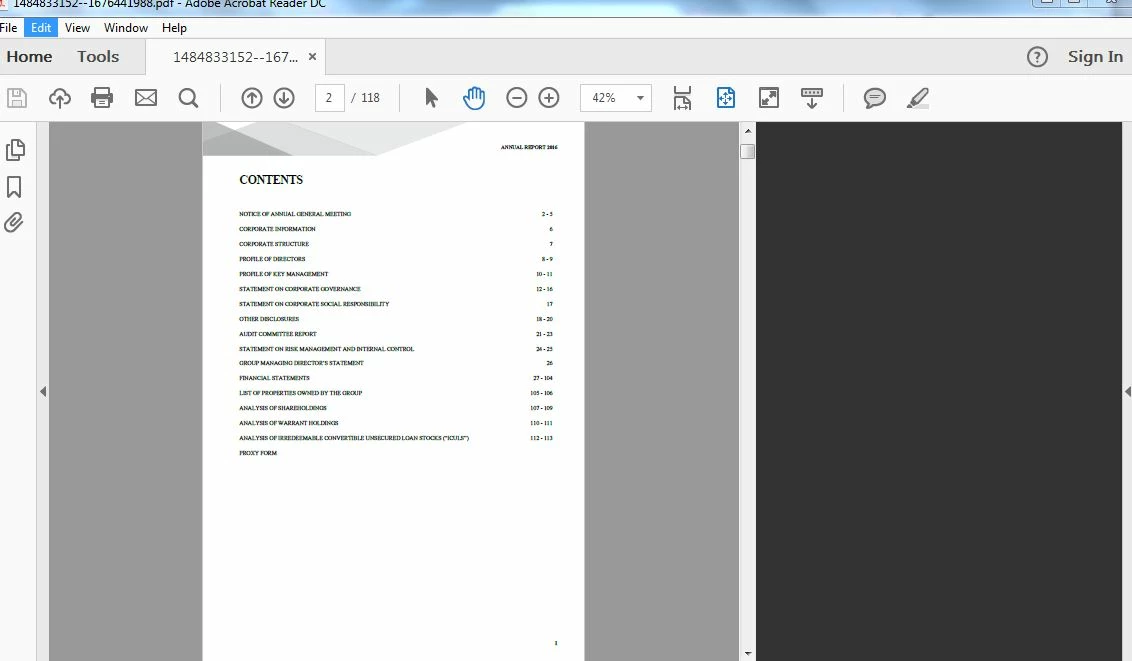
My adobe reader has just updated to adobe DC but I notice a problem that the view of document will not automatic adjust the document when I enlarge or reduce the screen size by pulling the edge of screen in my laptop.  It shows a black empty screen when enlarged as shown in the attached image or hides the scrolling bar when diminished the size.

However, I try on the other computer it can be automatically adjusted just like the previous adobe reader.  This is quite inconvenient especially when I want to view two or more documents at the same time.

Is there any setting that has caused this problem?

    This topic has been closed for replies.

    1 reply

    Adorobat
    Participating Frequently
    December 1, 2016

    Hi cyinh8151094,

    Try restoring preferences for Reader and see if that works:

    Close Reader DC.

    (ii) Go to C:\Users\your username\AppData\Roaming\Adobe\Acrobat\DC, 

    (iii) Move the entire DC folder to some other location like temp folder.

         To view temp folder, press and hold Windows key and press R on your keyboard, type temp in the run dialogue box then press enter.

           If App data folder is not visible under your user name , type %appdata% in run dialogue box and hit enter

    (iv) Restart Adobe Reader.

    Could you confirm the version of Reader installed on the computer?

    To check the version of Acrobat Reader DC, launch Reader DC>navigate to Help menu>select About Adobe Acrobat Reader DC.

    cyinh8151094
    Participant
    December 1, 2016

    Hi,

    Restoring to default setting didn't work.

    The version is 2015.020.20042

    Adorobat
    Participating Frequently
    December 2, 2016

    Hi cyinh8151094,

    Try to follow below mention steps and see if that resolves the issue:

    1- Download and run Cleaner tool from here: Download Adobe Reader and Acrobat Cleaner Tool - Adobe Labs

    2- Restart the Computer.

    3- Download and install Reader DC from here: Adobe - Adobe Acrobat Reader DC Distribution