Hi Amal,
Thank you for your reply!
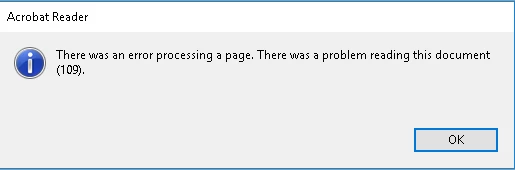
This issue seems to occur only with PDFs that we download through ShareFile (formerly Citrix web-based application) and then copy to our network drive. When we initially download them to a local computer, they open without any problems. However, once we copy them to the shared network drive, some of the PDFs fail to open and give us error 109. If we copy these problematic PDFs back to the local drive, the error persists. Notably, the same PDFs open without issues from the Downloads folder, suggesting they get corrupted when copied to the network drive.
This problem happens randomly when we copy anywhere between 20 to 100 PDFs at a time to the shared network drive. It affects systems running Windows 10, Windows 11, Server 2019, and Server 2022 Standard.
We have already tried various solutions, including running repair tools, uninstalling Adobe and Creative Cloud, using the Creative Cloud Cleaner tool, rebooting, reinstalling Adobe, and ensuring that the latest Adobe updates are installed.
As mentioned before, recreating hundreds of PDFs is not a viable workaround, and it seems others are experiencing this issue as well.
Your assistance would be greatly appreciated!
Best regards,
Sepehr
You need to uninstall McAfee computer security. This solution worked for me.


 AdChoices