


Copy link to clipboard
Copied
At wits end - unable to save tax return document from website (freefilefillableforms) in a format that Acrobat Reader DC will open for printing on my iMac?
[Title edited for clarity. Was “Question.]


 1 Correct answer


Hi JK
If you want Form 1040, get it from the IRS website, never from a no-name site like you mentioned.
https://www.irs.gov/pub/irs-pdf/f1040.pdf
Other IRS forms are here:
Forms & Instructions | Internal Revenue Service
If you want a form for a state or commonwealth or county, Google the number of the form and the location and get it from the government website.
~ Jane

 13
Replies
13
13
Replies
13

Copy link to clipboard
Copied
Hi JK
If you want Form 1040, get it from the IRS website, never from a no-name site like you mentioned.
https://www.irs.gov/pub/irs-pdf/f1040.pdf
Other IRS forms are here:
Forms & Instructions | Internal Revenue Service
If you want a form for a state or commonwealth or county, Google the number of the form and the location and get it from the government website.
~ Jane
Copy link to clipboard
Copied
Jane,
Perhaps I should clarify. I prepared & submitted tax return to the IRS via the website which required use of FireFox for iMac access. Unfortunately, FireFox would not print a legibly copy for my files of the tax return documents, nor was I able to sweet-talk Acrobat Reader DC to access, open & print the files evidenced by the following messages. .Webarchive was mandated; also, tried .txt with no success.
Adobe Acrobat Reader could not open 'tax 2018 sch D.webarchive' because it is either not a supported file type or because the file has been damaged (for example, it was sent as an email attachment and wasn't correctly decoded).
Adobe Acrobat Reader could not open 'tax 2018 sch 1.webarchive' because it is either not a supported file type or because the file has been damaged (for example, it was sent as an email attachment and wasn't correctly decoded). jim

Copy link to clipboard
Copied
Yes, Reader can only open PDF files.

Copy link to clipboard
Copied
I don't know what these "webarchive" files are but you need to get the site to deliver an actual PDF. That's not a problem with Reader. Check with the site maintainers.
Copy link to clipboard
Copied
jk2019030519 wrote
Perhaps I should clarify. I prepared & submitted tax return to the IRS via the website which required use of FireFox for iMac access.
Adobe Acrobat Reader could not open 'tax 2018 sch 1.webarchive'
Hi Jim,
Which website? www.irs.gov or “freefillableforms”? Can you provide the link?
Jane
Copy link to clipboard
Copied
Jane,
Website (www.freefilefillableforms.com) probably will not answer how to download file in a format readable by Acrobat Reader DC.
Jim
Copy link to clipboard
Copied
HI JK,
I was worried about the site, but it seems to be legitimate. I am self-employed, so I need to use an accountant. Forbes does not like this site: Why The Free File Alliance Is Bad For Taxpayers
I created a fake account and had to fill in a minimum amount of info: name, address, ssn, etc., and was able to bypass the code sent to my fake phone number.

I clicked "Print this form" at the bottom and it loaded my form. Then I clicked "Download" in Firefox. This may be the part you skipped.

I choose to open it with Adobe Acrobat Reader DC

The PDF then opened in Reader
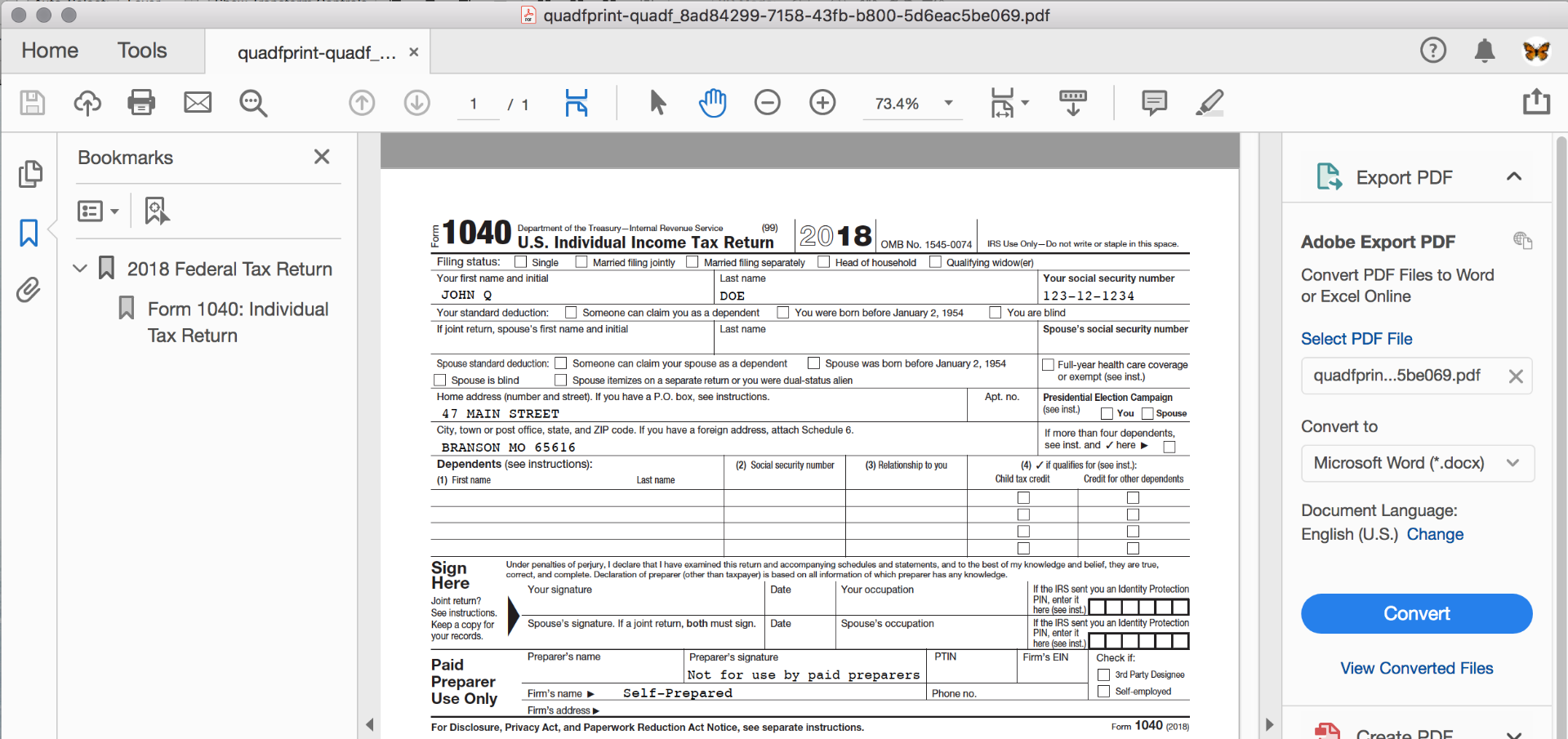
It got saved into my downloads, but with a very long, very weird name.
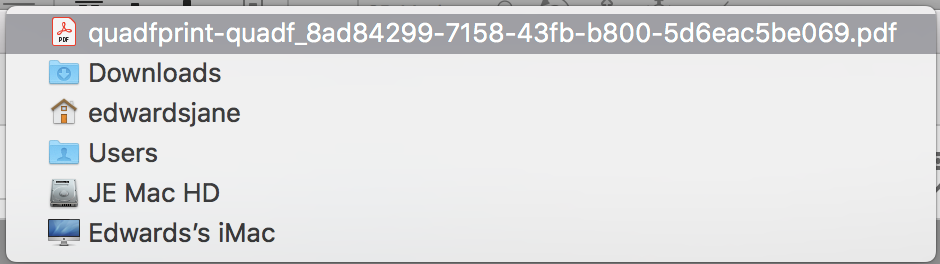
My next step would be to Close > Rename > Move > Reopen. Instead, of course, I will delete.
Try logging in again and choose Add/View Forms in the top menu bar.

Add/View Forms listed my form in a side bar, and clicking it opened the working view. Way down at the bottom is the Print button that I showed earlier.

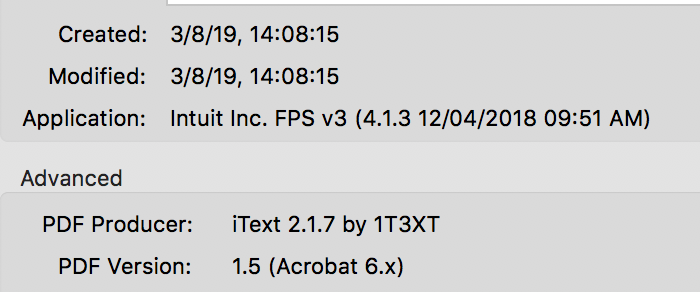
Also, while you have Reader installed, and are using Reader to view your PDFs, you can use any PDF viewer, and this PDF is not an Adobe PDF. Although Adobe created PDF technology, they gave it away a long time ago and anyone can make a PDF.
Intuit (makers of Quicken) is the application and iText is the PDF Producer. Adobe was not involved.
I hope this helps!
Jane
Copy link to clipboard
Copied
Jane,
Special thanks to you for the exceptional effort!
I will review Forbes caution that you cited for 2019 tax filing.
You're super!
Jim
Copy link to clipboard
Copied
Why do you think we can help? But if you want us to try, please take care to answer the questions we ask, thanks.
Copy link to clipboard
Copied
If questions asked of me appear unanswered, my apology as I tried to answer them. I welcome your help as I'm frustrated with not being able to print filed tax return documents from the same website that presented no printing problems in prior years. The only difference this year is that the website required FireFox for access via my iMac. And printing via FireFox is the printing problem which I
hoped that Adobe Reader DC would resolve. To date Reader will not open files from the website and I'm at a dead end re the solution.
Copy link to clipboard
Copied
Do the forms show up on screen in Firefox? Do they show up as PDFs (or can't you tell, it isn't easy)?
What happens when you try and print?
Copy link to clipboard
Copied
By the way, I looked it up, "webarchive" is a Firefox only way of saving copies of web pages - not a way of downloading PDF files. Maybe it's how you try to save it is the problem.
Copy link to clipboard
Copied
I again accessed the website via FireFox AND printed all tax documents EXCEPT the 1040 form which I then manually recreated via the 1040 blank form on the IRS website and printed via Acrobat Reader. I'm now satisfied - have documentation in my files for future reference. Don't know why these steps were necessary. Thanks for your attention. Looking forward to future Reader Community help to effectively use Reader.


Get ready! An upgraded Adobe Community experience is coming in January.
Learn more
 AdChoices