
Known Participant
November 23, 2020
Answered

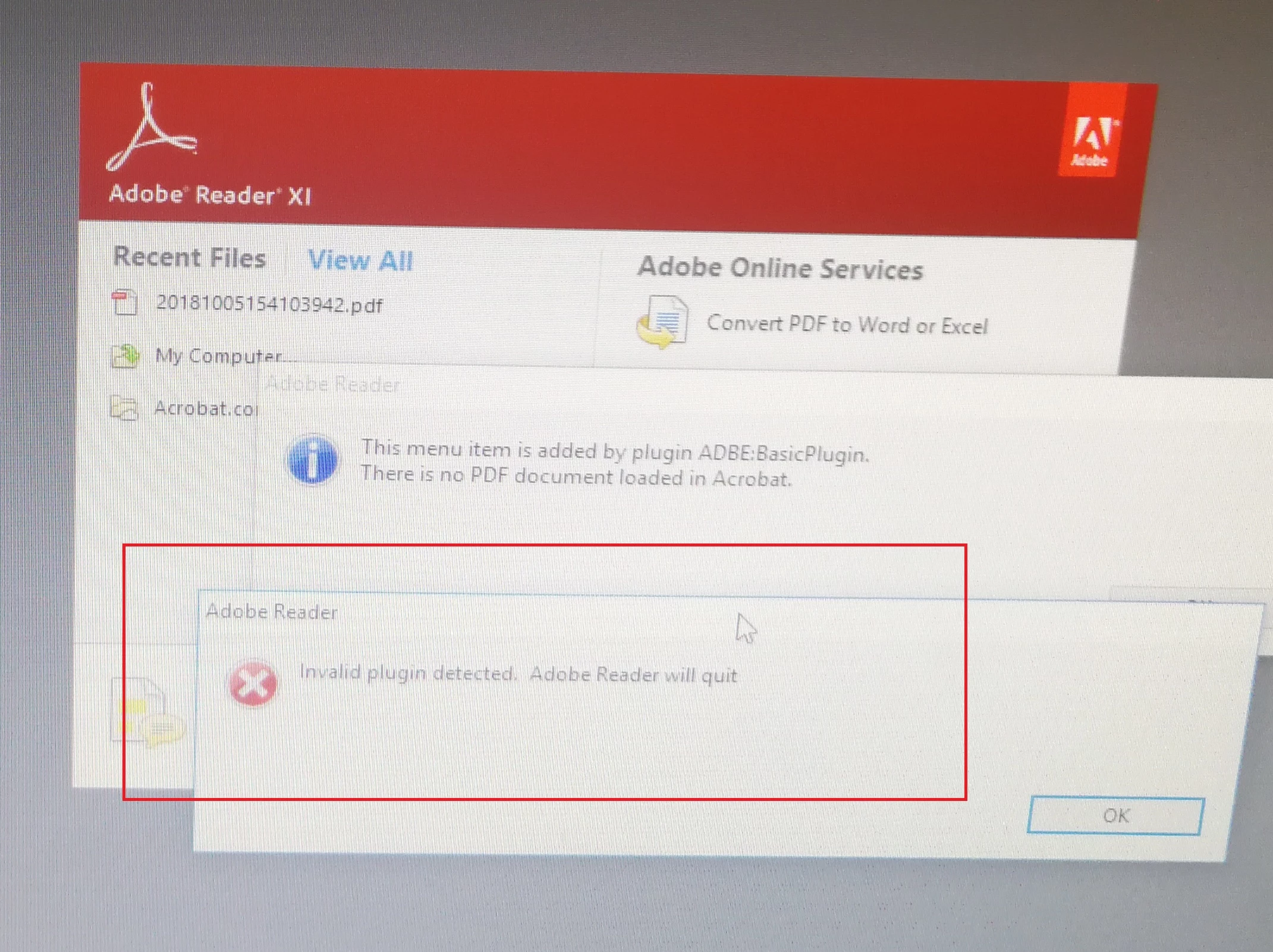
"invalid plugin detected, adobe will quit"

  • November 23, 2020
  • 3 replies
  • 5055 views

Dear All,


I am using Adobe SDK to develop .api. Using sample code - basicplugin project. It can be built successfully. I put .api into adobe plugins directory. Reopen Acrobat and it can show menu. But it will show “invalid plugin detected. Adobe Reader will quit". I don't know if it needs to be enable by using tools Makekeys and singpluing to enable .api.


Thanks,

Tony

This topic has been closed for replies.
Correct answer Test Screen Name

Enable with MakeKeys, as described in the documentation. But first, you must apply for a license from Adobe, they will review your application, and might (or might not) allow it, then  quote you a fee - up to $25,000 pa for some types of plug-in. You will also need Acrobat (paid for) to develop and test the plug-in, even if writing a Reader plug-in/.

3 replies

Legend
November 23, 2020

Also: Adobe will NOT allow you to make a plug-in for an obsolete version of Reader. You must use Reader DC (as well as makekeys, licensing etc etc.)

li0D4CAuthor
Known Participant
December 15, 2020

I have applied the public key, it is fine now.

Test Screen NameCorrect answer
Legend
November 23, 2020

Enable with MakeKeys, as described in the documentation. But first, you must apply for a license from Adobe, they will review your application, and might (or might not) allow it, then  quote you a fee - up to $25,000 pa for some types of plug-in. You will also need Acrobat (paid for) to develop and test the plug-in, even if writing a Reader plug-in/.

Bernd Alheit
Community Expert
Community Expert
November 23, 2020

For the use in Acrobat Reader you must enable the plugin.

li0D4CAuthor
Known Participant
November 23, 2020

How to enable plugin?

thanks,

tony