Exit
  • Global community
    • Language:
      • Deutsch
      • English
      • Español
      • Français
      • Português
  • 日本語コミュニティ
  • 한국 커뮤니티
0

RdrCEF.exe - Bad Image Errors in Acrobat Reader DC & Windows 10 Pro

New Here ,
Dec 13, 2016 Dec 13, 2016

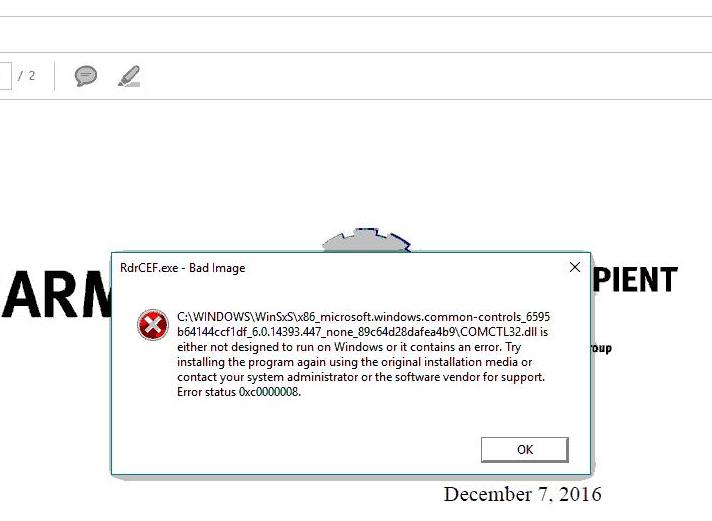
I receive the following error messages every time when I open PDF file with Acrobat Reader DC. This started to happen after I upgraded to Windows 10 and Acrobat Reader DC. There are 3 computers in my company have the same issue. We have tried to uninstall & reinstall the Acrobat Reader, but no luck. I don't know if there is problem between Windows 10 and Acrobat. Please Help!
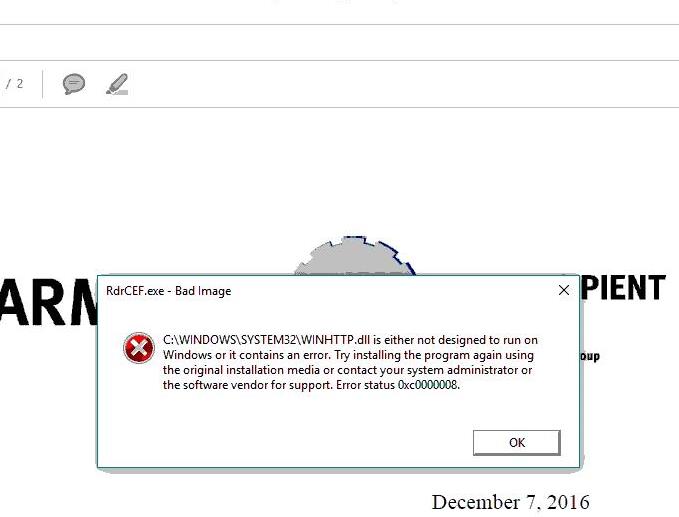
Adobe_Error_01.jpg

Adobe_Error_02.jpg

2.6K
Translate
Report
Community guidelines
Be kind and respectful, give credit to the original source of content, and search for duplicates before posting. Learn more
community guidelines
Adobe Employee ,
Dec 13, 2016 Dec 13, 2016
LATEST

Hi Jasskcl,

You may uninstall Reader DC using this cleaner tool: Download Adobe Reader and Acrobat Cleaner Tool - Adobe Labs

Restart your machine and download the installer using this link: Adobe - Adobe Acrobat Reader DC Distribution

Try installing again and check if that helps. Let us know how it works for you.

Regards,
Tariq Dar.

Translate
Report
Community guidelines
Be kind and respectful, give credit to the original source of content, and search for duplicates before posting. Learn more
community guidelines


