
ib_rath
Participant
April 10, 2018
Answered

Reader disapeard after update

  • April 10, 2018
  • 1 reply
  • 630 views

After automatic update reader is disapeard.

When I look in the program list under control panel it is gone.

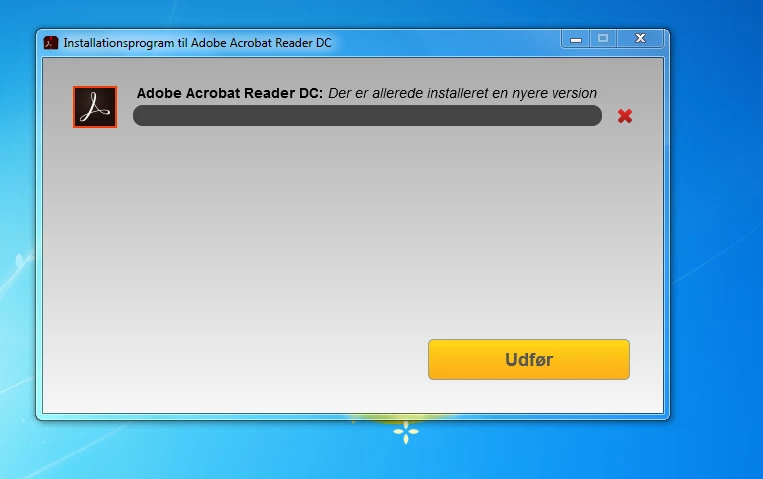
If I download a new installation file and try to install it, I got the message, that a newer version of Adobe Acrobat Reader DC is allready present at the system.

How do I remove this, to allow a new install?

System: Windows 7 home premium

Best regards

Ib Rath Olsen
This topic has been closed for replies.
Correct answer Meenakshi Negi

Hi Ib_rath,

As the application is uninstalled and you get the error when trying to install the application, try running the cleaner tool on your machine.

Please make sure that the Reader application is not installed on the machine.

Check if there are any folder or registry subtree with name Acrobat. If you find any, try to delete them.

Then run the cleaner tool Download Adobe Reader and Acrobat Cleaner Tool - Adobe Labs on the machine.

Reboot the machine and then try to re-install the application from here https://get.adobe.com/reader/enterprise/

Check if that works.

Let us know if you still experience the issue.

Regards,

Meenakshi

1 reply

Meenakshi Negi
Meenakshi NegiCorrect answer
Legend
April 11, 2018

Hi Ib_rath,

As the application is uninstalled and you get the error when trying to install the application, try running the cleaner tool on your machine.

Please make sure that the Reader application is not installed on the machine.

Check if there are any folder or registry subtree with name Acrobat. If you find any, try to delete them.

Then run the cleaner tool Download Adobe Reader and Acrobat Cleaner Tool - Adobe Labs on the machine.

Reboot the machine and then try to re-install the application from here https://get.adobe.com/reader/enterprise/

Check if that works.

Let us know if you still experience the issue.

Regards,

Meenakshi