
Reader's installation stuck at 90% and exits with an error
When trying to install Adobe Reader from https://get.adobe.com/reader/otherversions (Windows 11, Language German, 64 Bit distro), installtion gets stuck at 90%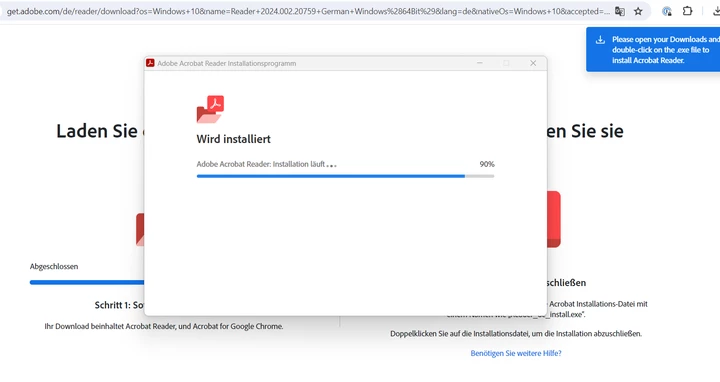
and then exits with a generic error:
Things tried:
1. Installing directly from Adobe's website after pausing Antivirus and Firewall (Internet connection is stable)
2. Making sure that JS is activated in the browser and installing again
3. Running the installer in compatibility mode with administrator rights
4. Running Adobe Cleaner (No installation found), deleting the folder C:\\Users\<username>\AppData\Adobe manually and then restarting the computer and installing Reader again.
Installation Logs:
```
05/21/24 13:30:03:373 | [INFO] | | ADM | | ApplicationContext | | | 23580 | InstallAction::launchProcessCallbackFn : errorCode : 0, returnCode : 1602
05/21/24 13:30:03:387 | [INFO] | | ADM | | ApplicationContext | | | 16096 | Installation completed for package 'Adobe Acrobat Reader APP' installerReturnCode:'1602' installerErrorCode:'0'
05/21/24 13:30:03:387 | [ERROR] | | ADM | | ApplicationContext | InstallError | | 16096 | Product installation failed 'Adobe Acrobat Reader APP' installerReturnCode: 1602
05/21/24 13:30:03:402 | [DEBUG] | | ADM | | WorkflowManager | | | 25792 | Setting Relevant Packages for prechecks.
05/21/24 13:30:03:512 | [DEBUG] | | ADM | | ApplicationContext | | | 25792 | Empty userName while setting proxy credentials for HTTP request
05/21/24 13:30:03:512 | [TRACE] | | ADM | | ApplicationContext | | | 25792 | DlmPing::sendDLMHTTPRequest ping url : https://dlmping2.adobe.com/dlm/r.gif?abbr=rdr&act_o=Y&adm_name=Adobe%20Acrobat%20Reader&adm_status_code=3070&adm_status_name=ADM_STATUS_INSTALL_ERROR&adm_status_reason=Installation_Failure&adm_vers=2.0.0.768s&app_ver=24.002.20759&cancelled=0&country=%20DE&cr=a¤tFilename=readerdc64_de_ha_install.exe&dlc=reader&exitcode=1602&itemid=Reader_DC_2024.002.20759_German_Windows%2864Bit%29&mcvisid=10498802401316214243961814406738115903&os=win&os_loc=de_DE&os_ver=11.0.0&pane=progressScreen&pre_installed=0&site=live&stack=modern&type=install&workflow=64
```
System Info: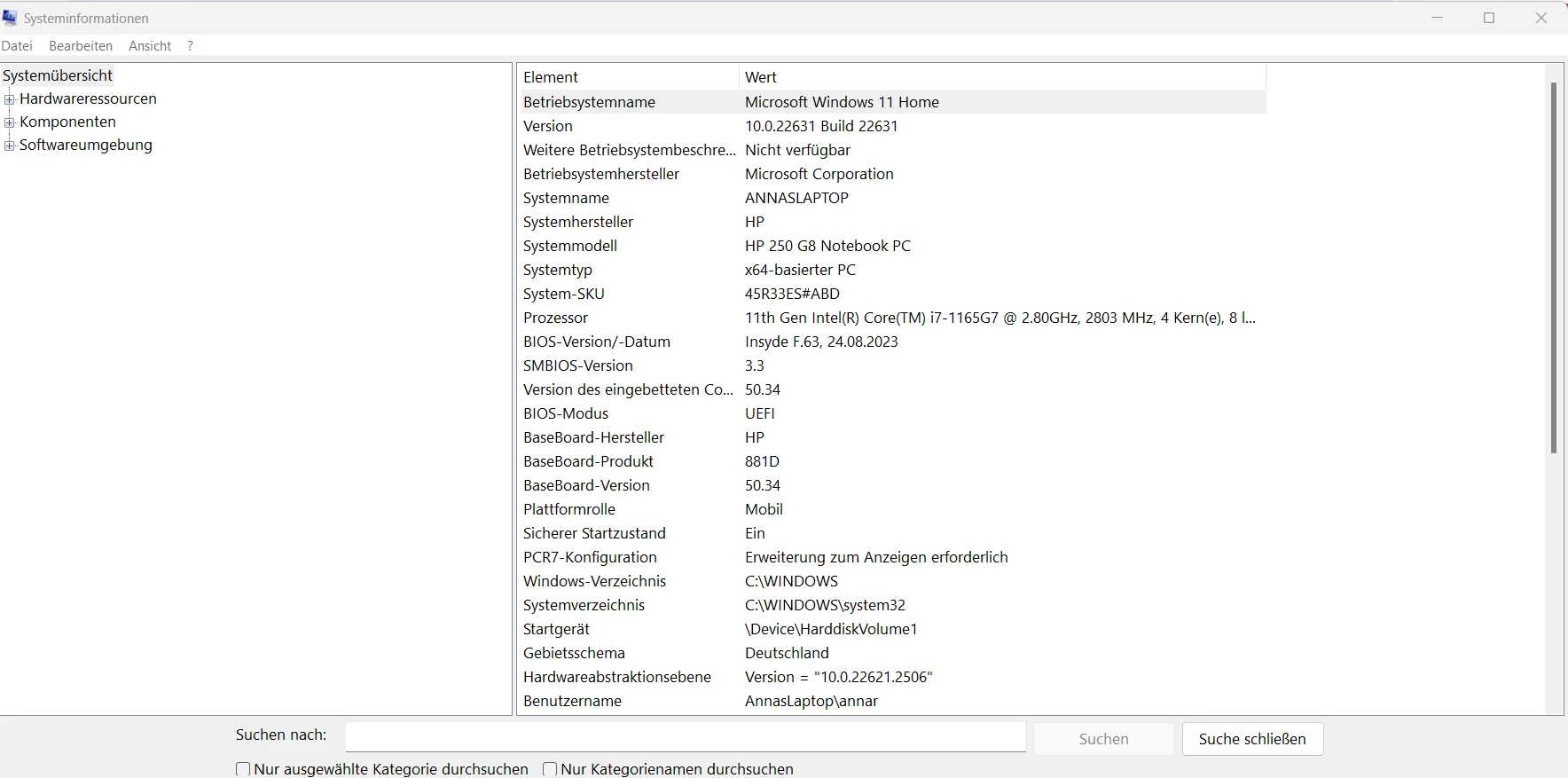


 AdChoices