
May 22, 2019
Question

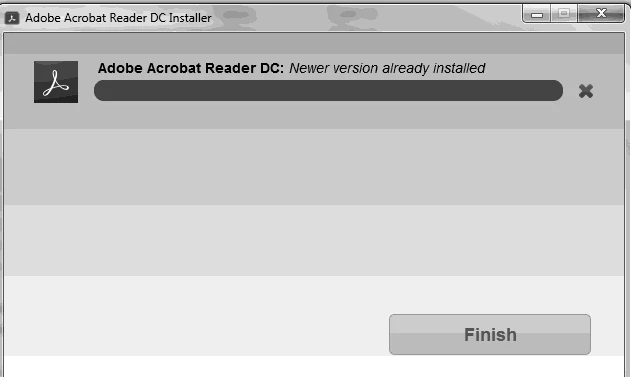
reader won't install gives error about "newer version"

  • May 22, 2019
  • 3 replies
  • 4060 views

I'm a tech trying to install adobe reader on a customer's computer.  He was having trouble printing a pdf from email.  Acrobat reader wouldn't read the file correctly to print it.  Removed acrobat and attempted to reinstall.  Installer said a newer version was already installed but wasn't showing up in installed programs or start menu.

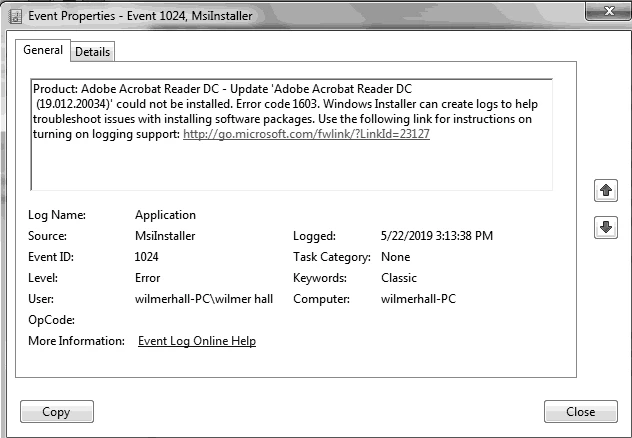
I ran the cleaning tool, restarted the computer and tried to install reader again.  The installer got to 90% and then said a newer version was already installed.  I've included both the error and an event from the event viewer. He's running Windows 7 and it is up to date.
This topic has been closed for replies.

3 replies

July 13, 2019

Is there ANYTHING ELSE you can suggest?  I replied and told you that NONE of the troubleshooting steps worked AT ALL.  Where do I go from here?

June 2, 2019

I thought i was going mad, but it is not just me. Mine just stopped working and will not re-install with the same errors as above. Adobe Help/Support were absolutely useless. I have had to install another rubbish reader just to read my PDF's. But OI need the functionality of the Adobe Reader to do what i need to do.

July 17, 2019

I FIXED IT!  Here are the steps I took to fix it:

  1. Use an uninstaller program like Revo Uninstaller to remove the corrupted install of adobe reader (if it's still there)
  2. Run the Adobe Acrobat Cleaner twice.  Once for Reader and then again for Acrobat just to be sure
  3. Run CCleaner and have it fix any registry issues (most are leftovers from uninstalled programs)
  4. Download Acrobat Reader DC from this site
  5. Run the installer and it should install with no problems
Participant
February 12, 2020

Thank you! I went through these steps and it worked. (Note: Had to use the free trial of Revo Uninstaller Pro to get those leftover bits.)

AkanchhaS8194121
Legend
May 23, 2019

Hi Allenb,

Thank you for sharing the detailed description and troubleshooting steps followed.

As mentioned, you are getting error "newer version already installed" during the installation of Adobe Reader DC. However, application isn't already installed. Error code 1603 such error  indicating a failure that is generic, but computer-specific.

To troubleshoot this issue, you may perform the troubleshooting steps suggested in related help article here: Error 1722 while installing/updating Acrobat DC/Acrobat Reader DC on Windows

If this doesn't help, then refer to the solution 1a & 1b here: Error 1603: A fatal error occurred during Adobe Creative Suite installation

Let us know the result.

Thanks,

Akanchha

May 28, 2019

I have tried and tried all the steps you provided but to no avail.  I even tried deleting the registry key for adobe reader and reinstalling but no luck.  Visuall C++ installer said there weren't any problems, however the files that you were to rename didn't install with the rest. Currently the installation is "stuck" at 90% and hasn't failed yet.  For the moment I have .pdf associated with Chrome's built in pdf reader.  But adobe reader is just being stubborn as hell.  The customer and I are getting quite frustrated.