Exit
  • Global community
    • Language:
      • Deutsch
      • English
      • Español
      • Français
      • Português
  • 日本語コミュニティ
  • 한국 커뮤니티
1

Rename items in recent items

New Here ,
Jul 19, 2019 Jul 19, 2019

Hello!

I wish I could RENAME the files even in the RECENT ITEMS. It would be really nice if you add this feature too, SOON!

Thanks!

780
Translate
Report
Community guidelines
Be kind and respectful, give credit to the original source of content, and search for duplicates before posting. Learn more
community guidelines

correct answers 1 Correct answer

Community Expert , Jul 20, 2019 Jul 20, 2019

Hi

Here is a work-around:

  • When you rename a PDFs then close and reopen it, Acrobat Reader will display the new name that was recently opened.

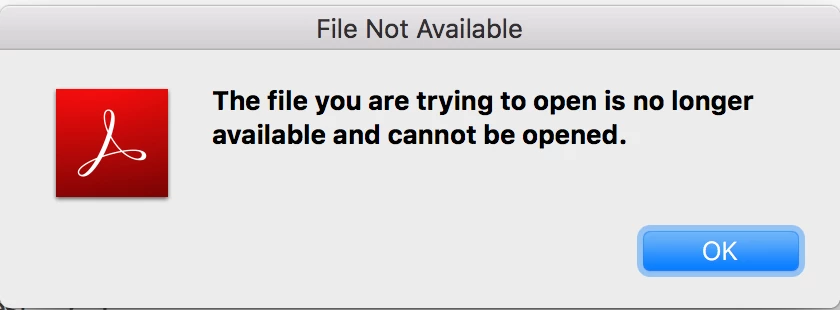
  • The second step is to try to reopen the file with the old non-existent name. It will give you an error message and disappear.

This is a user forum. Feature requests go here: Share your feedback on Acrobat DC

~ Jane

Translate
Community Expert ,
Jul 20, 2019 Jul 20, 2019

Hi

Here is a work-around:

  • When you rename a PDFs then close and reopen it, Acrobat Reader will display the new name that was recently opened.

  • The second step is to try to reopen the file with the old non-existent name. It will give you an error message and disappear.

This is a user forum. Feature requests go here: Share your feedback on Acrobat DC

~ Jane

Translate
Report
Community guidelines
Be kind and respectful, give credit to the original source of content, and search for duplicates before posting. Learn more
community guidelines
Adobe Employee ,
Jul 24, 2019 Jul 24, 2019
LATEST

Hello,

Renaming the PDF file under "Recent" tab would not be possible. This feature is currently unavailable.

As suggested by jane-e  above, you can use this form to request new features or suggest modifications to existing features. Feature Request/Bug Report Form

Thanks,

Akanchha

Translate
Report
Community guidelines
Be kind and respectful, give credit to the original source of content, and search for duplicates before posting. Learn more
community guidelines