Hello,
I used to have PDF(s) that I stored on the intranet and would be able to open the pdf right from the intranet page and browse all the links inside of the PDF but now I don't have that option to open the PDF inside of a browser. It looks like it still works with Firefox as normal but the majority of our end users have Internet Explorer & Edge installed both of which don't open the pdf's inside the browser. If someone has an alternative to how to open the pdf's inside the browser that would be great.
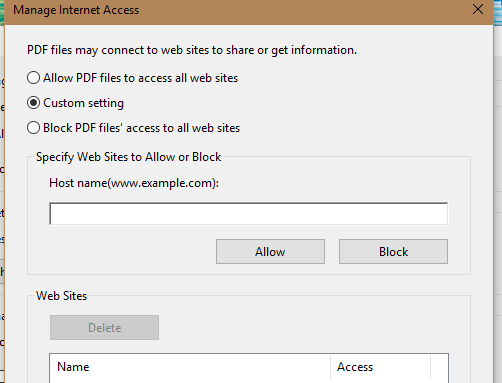
If by some chance I can't do the option of opening in a web browser again. Could I possibly get a way to prevent the security warning that pops up for my intranet? I see how you can add websites to the trust list but there is no option of adding a local server (My Intranet) so that I don't get prompts every time I open a link inside a document stored on our network.
Pics below.
Thanks in advance.
Security Warning Pic

Trust Manager (Manage Internet Access) Pic







 AdChoices