
yevheniiy81221888
Known Participant
March 16, 2022
Answered

Several AcroRd32.exe processes

  • March 16, 2022
  • 1 reply
  • 1245 views

I opened one instance of Reader and get the two same processes.

Process.Start(...) do the same thing and returns window handle which is NULL but second process has correnct HWND
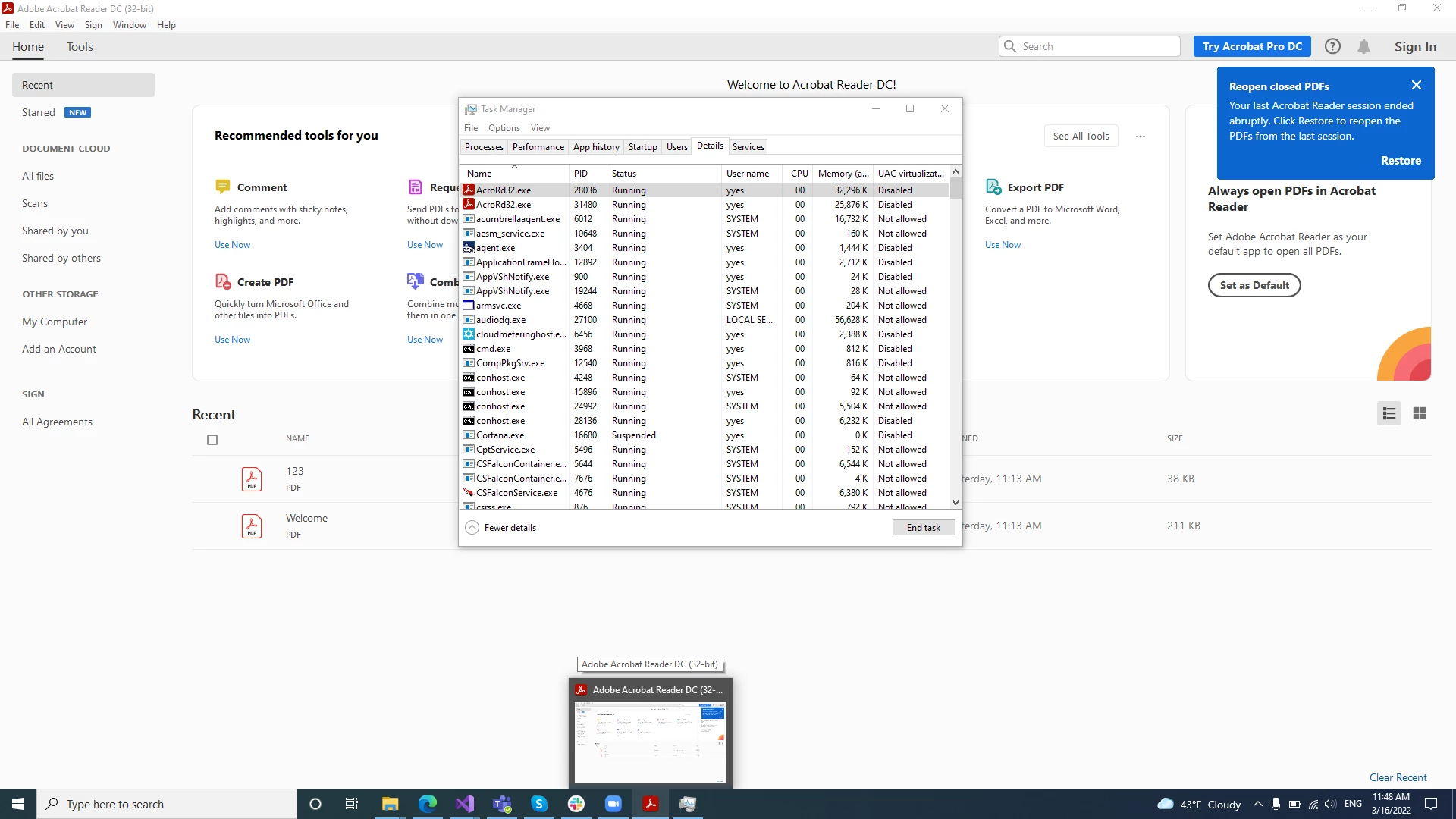
 Is that should work in that way? 

This topic has been closed for replies.
Correct answer Test Screen Name

This is by design if the "Protected mode" option is on.

The first app has no HWND or interface, but can access all files.

It starts the second app in a sandbox, which can access no files. It has all windows and HWND.

The first app controls access to files for the second app. This is called "Sandboxing" and many apps now do this, especially web browsers.

1 reply

Harsh Vardhan Pareek
Participating Frequently
March 16, 2022

Hi @yevheniiy81221888 


Here is a help document you can refer to: https://helpx.adobe.com/acrobat/kb/acrobat-exe-acrord32-exe-doesnt.html


Let us know if that helps.


Thanks,

Harsh


yevheniiy81221888
Known Participant
March 16, 2022

Provided solutions does not help. 
I still getting two processes of Reader aplication if I just open it.

Test Screen NameCorrect answer
Legend
March 16, 2022

This is by design if the "Protected mode" option is on.

The first app has no HWND or interface, but can access all files.

It starts the second app in a sandbox, which can access no files. It has all windows and HWND.

The first app controls access to files for the second app. This is called "Sandboxing" and many apps now do this, especially web browsers.