
Show file name instead of document title on document tab
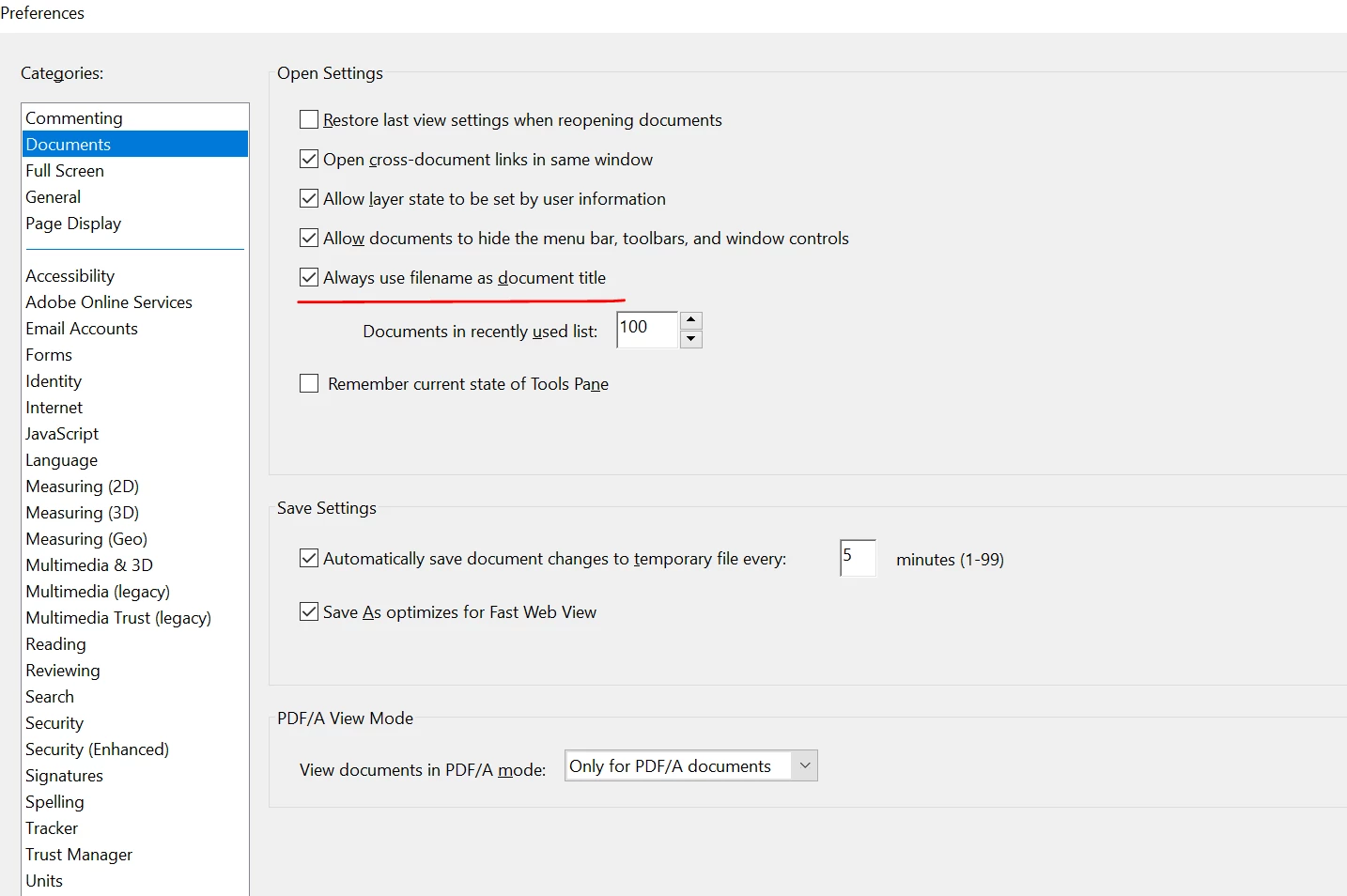
I am using the free Adobe 2023.003-20244 on Windows 10. There is a single tab along the top for each document opened. Unfortunately, the tab contains the document title instead of the file name. This is not useful for me because I open many files which show the same letters in their respective tabs. It turns out that the document titles are quite long and they differ only in the last portions of the titles. The tabs only show the leftmost portions of the titles, so the tabs display the same letters. The document titles are determined by the originators of these documents.
In past versions of Reader, the document tabs showed the PDF file names, which I *do* control. I can choose file names that are distinguishable even though the tabs only show the leftmost portions of the name. Is there any way to have Reader show file names instead of document titles in the tabs?
 AdChoices