
December 23, 2016
Answered

Some PDFs won't allow me to highlight

  • December 23, 2016
  • 3 replies
  • 33486 views

hello everyone.

some of my PDF files not allowing me to select text to highlight it, they contian real text not images or scanned- based, and when I go to the document properties the commenting section is allowed and there is no security on document.

other PDF files are fine, I can select text and highlight it.

this is what happen when I select text in some documents
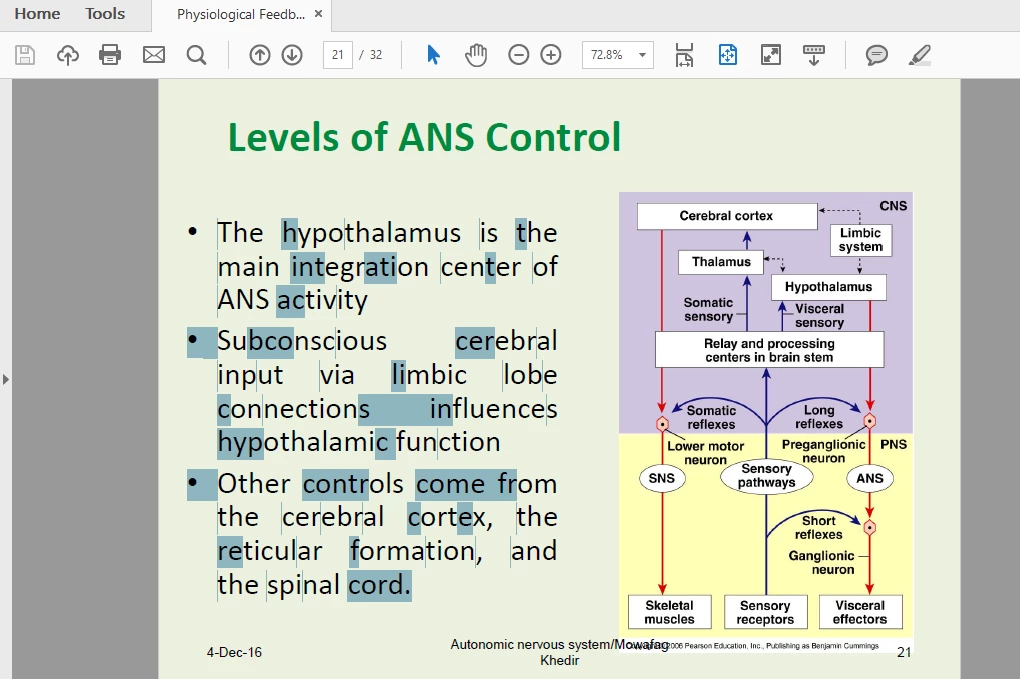
it is irregular and  juming words. so irritating

please help

    This topic has been closed for replies.
    Correct answer try67

    This happens when the file was created in a non-standard way, or is the result of a partially successful OCR process.

    Basically there's nothing you can do about it with the free Reader. Report this issue to the author of the file and ask for a new version.

    The only workaround you can use on this version is to use a different tool for the highlights (like the Square tool), or to hold down Ctrl before applying the highlight. That should switch it from text selection to free-form selection and you would be able to select an area to highlight, instead of just letters.

    3 replies

    valtert25703990
    Participant
    June 27, 2019

    I don't understand why this post was rejected. After months trying to get a solution I finally discovered a way to get around with this problem!

    I think I have the solution because I was also struggling with this!

    This site unblocks your PDF, making all the letters/caracters editable! I needed this for university and it really worked for me!

    (It is not virus or whatever...)

    [Link removed by moderator]

    Hope it works!!!

    try67
    Community Expert
    Community Expert
    June 27, 2019

    You're not allowed to post here links to websites that are used to remove the security policy from PDF files.

    Adobe does its best to enforce this type of protection (which is a part of the PDF ISO specifications), while others are doing their best to defeat it... The latter are not welcome here.

    valtert25703990
    Participant
    June 27, 2019

    Well I understand and respect your statement. Though, I'm obliged to tell you that I needed to highligth PDFs made from professors of mine that couldn't be highlighted otherwise. And I will not give another use to the PDFs unless highlight and study. I guess it was the issue here, and not to find a way to defeat any securities of PDF. But laws are laws right? Thank you!

    try67
    Community Expert
    try67Community ExpertCorrect answer
    Community Expert
    December 23, 2016

    This happens when the file was created in a non-standard way, or is the result of a partially successful OCR process.

    Basically there's nothing you can do about it with the free Reader. Report this issue to the author of the file and ask for a new version.

    The only workaround you can use on this version is to use a different tool for the highlights (like the Square tool), or to hold down Ctrl before applying the highlight. That should switch it from text selection to free-form selection and you would be able to select an area to highlight, instead of just letters.

    December 23, 2016

    thank you so much I appreciate your help

    good to know my reader works well

    thanks again

    Bernd Alheit
    Community Expert
    Community Expert
    December 23, 2016

    What can you see when you save the file as text?

    December 23, 2016

    I'm sorry I didn't understand your question, but the file is powerpoint converted to PDF

    and I download it as PDF from my e-mail.

    Bernd Alheit
    Community Expert
    Community Expert
    December 23, 2016

    In Acrobat Reader you can save the PDF file as text.