
Answered
Text spacing/missing when saved as pdf from MS Word
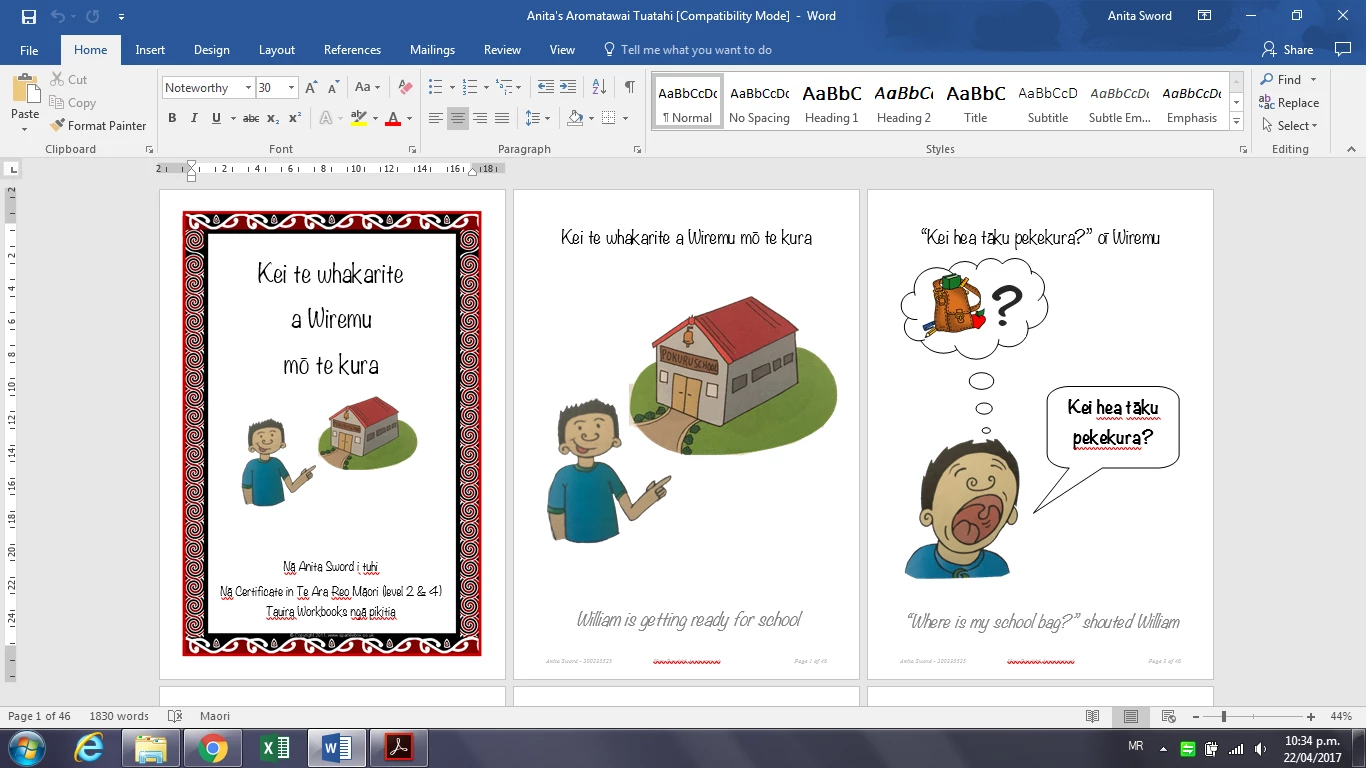
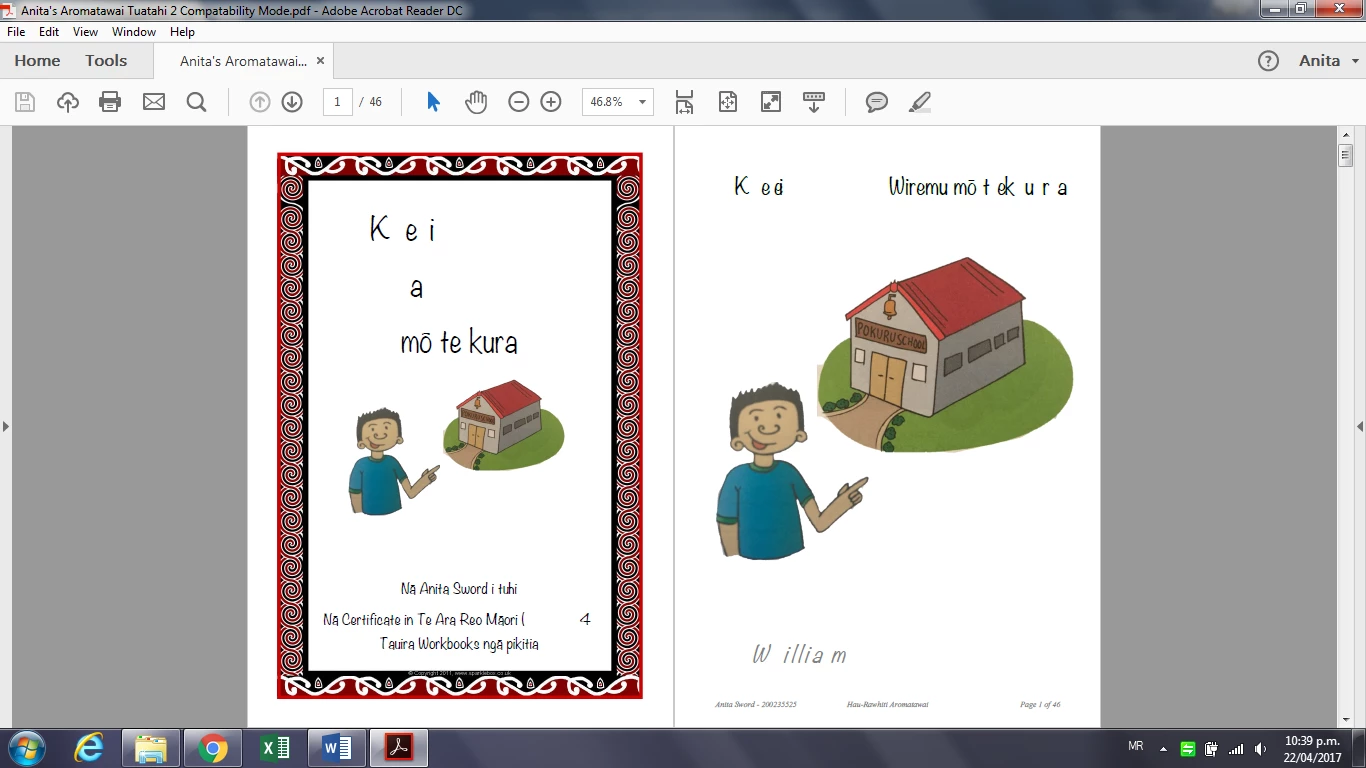
I'm trying to save my assignment as a pdf so I can print/open it anywhere and it will have the same formatting. EVERYTIME I click save as .pdf on Microsoft Word it converts to a pdf with the text spacing all jumbled and some text completely missing! See the two screen shots below. The images are grouped and they come out fine in pdf format, it's just the text. The font must but TrueType because it displays normally it's just the spacing between characters. It doesn't effect every page but more than half are messed up.
Suggestions, help, comments???
 AdChoices