Inspiring
October 17, 2017
Answered

Text viewing issue

  • October 17, 2017
  • 1 reply
  • 4656 views

Good day all,

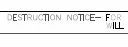
Please, take a look at the picture below:

The origin of the line work and text is AutoCAD 2015.  This is a screen shot of a portion of a PDF generated from AutoCAD viewed in Adobe Acrobat XI Pro.

In AutoCAD, the font is Simplex and the color of all the characters are the same.

Why are the characters that contain curved or oblique segments gray and the characters with only vertical and horizontal segments black?

Is there a property/setting that can be altered to force all text to be displayed at the same intensity?

Thanks!

    This topic has been closed for replies.
    Correct answer zph_acad

    Ok. Not fonts then. Here are a couple of things to look in to. First, see if it views like this at 100%.

    Then, in preferences there are some settings. Go to Edit>Preferences>Page Display. Make sure the resolution is site properly for your monitor. Then go to "Rendering" and try a couple of the "Smooth text" options to see if one works.

    If that doesn't work:

    I'm assuming that the text having the issue is selectable in Reader? Just want to be sure your software isn't rendering it as an image.

    What steps are you taking to create the pdf file? Have you checked settings in that process?


    ~graffiti,

    Thank you for sticking with this.  I noticed that Adobe classified the characters as "AutoCAD SHX Text".  This jogged my memory about AutoCAD SHX Fonts and 'finickiness' in working well with other pieces of software.  This allowed me to search for the proper terms and I found the solution:

    https://knowledge.autodesk.com/support/autocad-electrical/troubleshooting/caas/sfdcarticles/sfdcarticles/Choppy-or-distorted-display-in-Adobe-Reader.html

    The solution turned out to be one of the Rendering options > "Smooth line art".

    This makes sense, because you informed me that the characters were not, in fact, text, but outlines which are probably considered to be more image based.

    Thanks again!

    ~Z

    1 reply

    ~graffiti
    Legend
    October 17, 2017

    Fist thing to check is fonts. Make sure they are embedded. Look at File>Property>Fonts. Should say "Embedded" or "Embedded subset" next to all of them. Reader has a hard time finding non-embedded fonts even if they are on your system. It's good to do that anyway since the primary reason for the pdf is probably so that others can view it.

    zph_acadAuthor
    Inspiring
    October 18, 2017

    ~graffiti,

    Thank you for the prompt response.

    Please, see the picture below:

    ~graffiti
    Legend
    October 18, 2017

    Ok. Not fonts then. Here are a couple of things to look in to. First, see if it views like this at 100%.

    Then, in preferences there are some settings. Go to Edit>Preferences>Page Display. Make sure the resolution is site properly for your monitor. Then go to "Rendering" and try a couple of the "Smooth text" options to see if one works.

    If that doesn't work:

    I'm assuming that the text having the issue is selectable in Reader? Just want to be sure your software isn't rendering it as an image.

    What steps are you taking to create the pdf file? Have you checked settings in that process?