

Answered
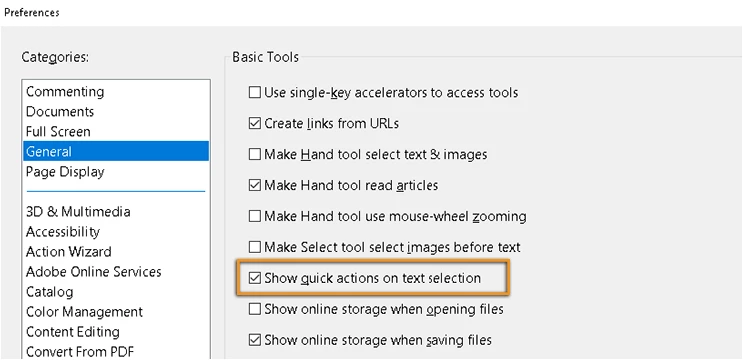
The new floating toolbar for commenting actions needs to go.
The "Commenting experience improvements" in May 2019 release of Acrobat DC introduced the following change: when the user "selects" some text with the left mouse button a black floating toolbar for commenting actions always appears even if the user doesn't want to make comments. How can I prevent that floating toolbar from appearing it's quite distracting?
 AdChoices