



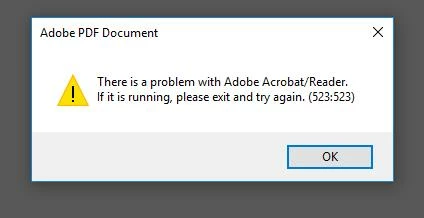
There is a problem with Adobe Acrobat/Reader. Please exit and try again (523:523)
I receive the following error after opening 2-4 pdfs in a row.
.
There is a problem with Adobe Acrobat/Reader. If it is running, please exit and try again (523:523)
Here is my system info
Account Detail:
User Rights: Admin
User Account Control: Limited
Process Integrity: Low
Profile Type: None
Acrobat Detail:
Sandboxing: On
Captive Reader: No
Multi-Reader on Desktop Support: Off
Available Physical Memory: 639528 KB
Available Virtual Memory: 1864236 KB
BIOS Version: INTEL - 6040000
Default Browser:
Default Mail: Microsoft Outlook
mapi32.dll
Version: 1.0.2536.0 (rs1_release.160715-1616)
Creation Date: 2016/07/16
Creation Time: 3:25:28 AM
Display Detail:
Screen Width: 1440
Screen Height: 900
Number of Monitors: 1
Number of Mouse Buttons: 3
Has Mouse Wheel: Yes
Has Pen Windows: No
Double Byte Character Set: No
Has Input Method Editor: Yes
Inside Screen Reader: No
Graphics Card:
Version: 0.0.0.0
Check: Not Supported
Installed Acrobat:
Installed Acrobat: C:\Program Files\Adobe\Acrobat Reader DC\Reader\AcroRd32.exe
Version: 18.11.20038.267465
Creation Date: 2018/02/22
Creation Time: 11:57:36 AM
Locale: English (United States)
Monitor:
Name: VMware SVGA 3D
Resolution: 1440 x 900 x 64
Bits per pixel: 32
OS Manufacturer: Microsoft Corporation
OS Name: Microsoft Windows 10
OS Version: 10.0.14393
Page File Space: 2751988 KB
Processor: x86 Family 6 Model 15 Stepping 1 GenuineIntel ~2597 Mhz
Session Detail:
Boot Type: Normal
Is Shutting Down: No
Network: Available
Inside Citrix: No
Inside VMWare: Yes
Remote Session: No
Remote Control: No
Using JAWS: No
Using ZoomText: No
Using Windows-Eyes: No
Using NVDA: No
System Name: W10B-074
Temporary Directory: C:\temp\acrord32_sbx\
Time Zone: Central Standard Time
Total Physical Memory: 2096628 KB
Total Virtual Memory: 2097024 KB
User Name: acalderon
Windows Detail:
Tablet PC: No
Starter Edition: No
Media Center Edition: No
Slow Machine: No
Windows Directory: C:\WINDOWS
Installed plug-ins:
C:\Program Files\Adobe\Acrobat Reader DC\Reader\plug_ins\AcroForm.api
Version: 18.11.20036.265267
Creation Date: 2018/02/11
Creation Time: 5:53:48 PM
C:\Program Files\Adobe\Acrobat Reader DC\Reader\plug_ins\IA32.api
Version: 18.11.20036.265267
Creation Date: 2018/02/11
Creation Time: 5:53:48 PM
C:\Program Files\Adobe\Acrobat Reader DC\Reader\plug_ins\Spelling.api
Version: 18.11.20036.265267
Creation Date: 2018/02/11
Creation Time: 5:53:48 PM
C:\Program Files\Adobe\Acrobat Reader DC\Reader\plug_ins\Updater.api
Version: 18.11.20036.265267
Creation Date: 2018/02/11
Creation Time: 5:53:48 PM
We noticed the issue occurred after Adobe Reader 18.009.20050 patch.
 AdChoices