

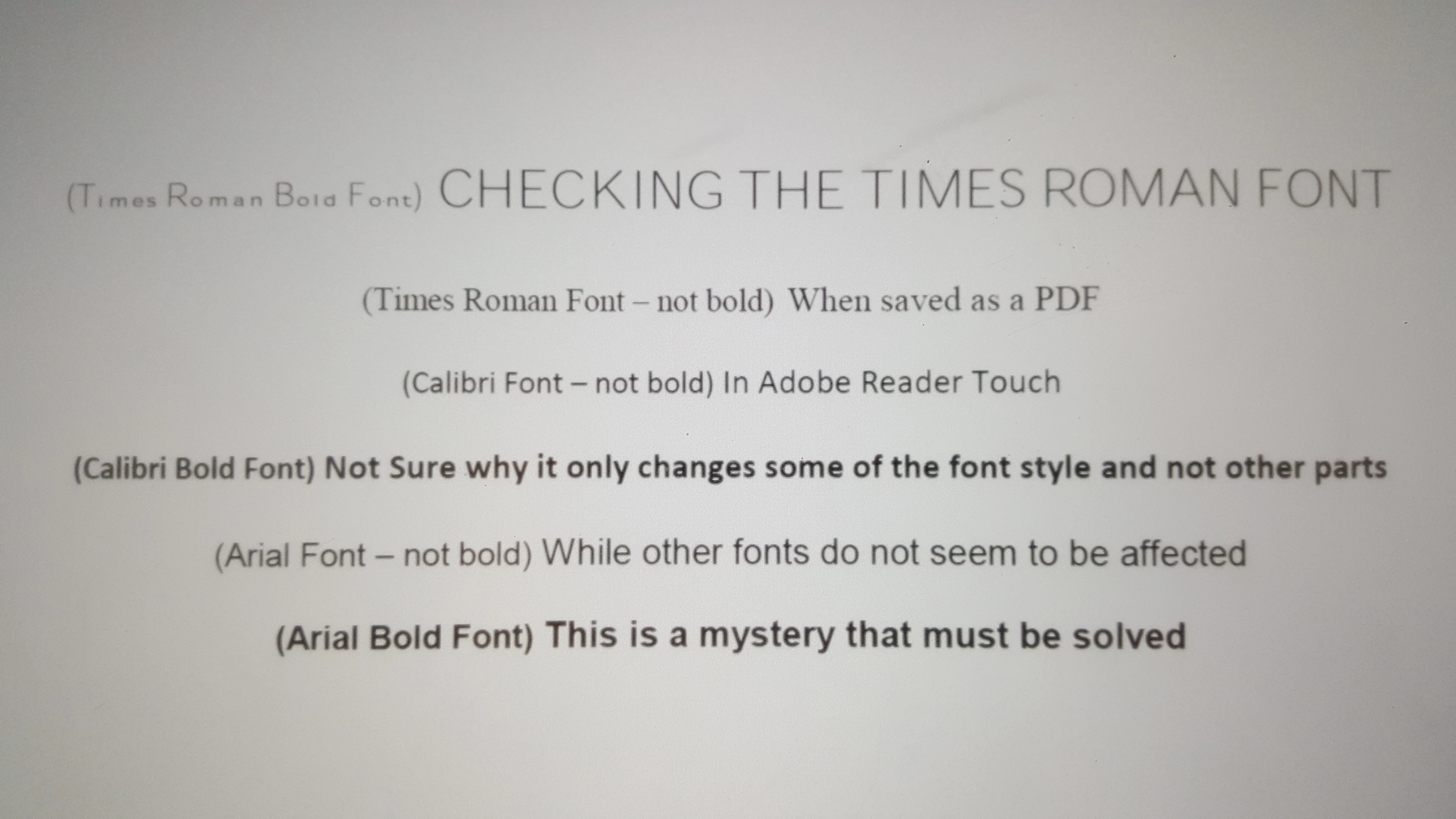
Times Roman Font changes in Adobe Reader Touch when opening/viewing/printing a pdf
When I open a pdf that has been created using the Times Roman Font Adobe Reader Touch changes the font to a mystery font that is hard to read and when printing that same PDF file, it prints it with this mystery font making the page hard to read. I have pasted an example below. The file was created in Word using Times Roman, Calibri, and Arial font all in straight and bold type styles. As you can see, it looks like the only font affected is BOLD Times Roman. All others appear to be correct. This make a document extremely hard to read (not to mention the printed pages looks "un-professional") when printed out. This happens every single time, not just occasionally. Please help me resolve this issue as soon as possible. Thank you for your time.
 AdChoices