jimmydire_680593_187789
Participant
July 31, 2018
Answered

Trouble with fill and sign

  • July 31, 2018
  • 1 reply
  • 667 views

What a nice thing Fill & Sign used to be.  You could choose your font, especially a true delimited one, but no more!  You have two junky fonts forced on you, and the supposed "delimited" one spaces the characters completely at whim, so that filling out a PDF form is no longer possible without hours of frustration.  Thanks Adobe for "improving" Fill & Sign so that it is now useless!

This topic has been closed for replies.
Correct answer AnandSri

Hello Jimmydire,

We're sorry for the trouble you had with the Fill&Sign feature. Are you referring to change the font when you choose the 'Sign' option in Fill&Sign?

You can change the Font Style while typing your signature and 4 type of style is available, You can choose from a small selection of signature styles; click Change Style to view a different style:
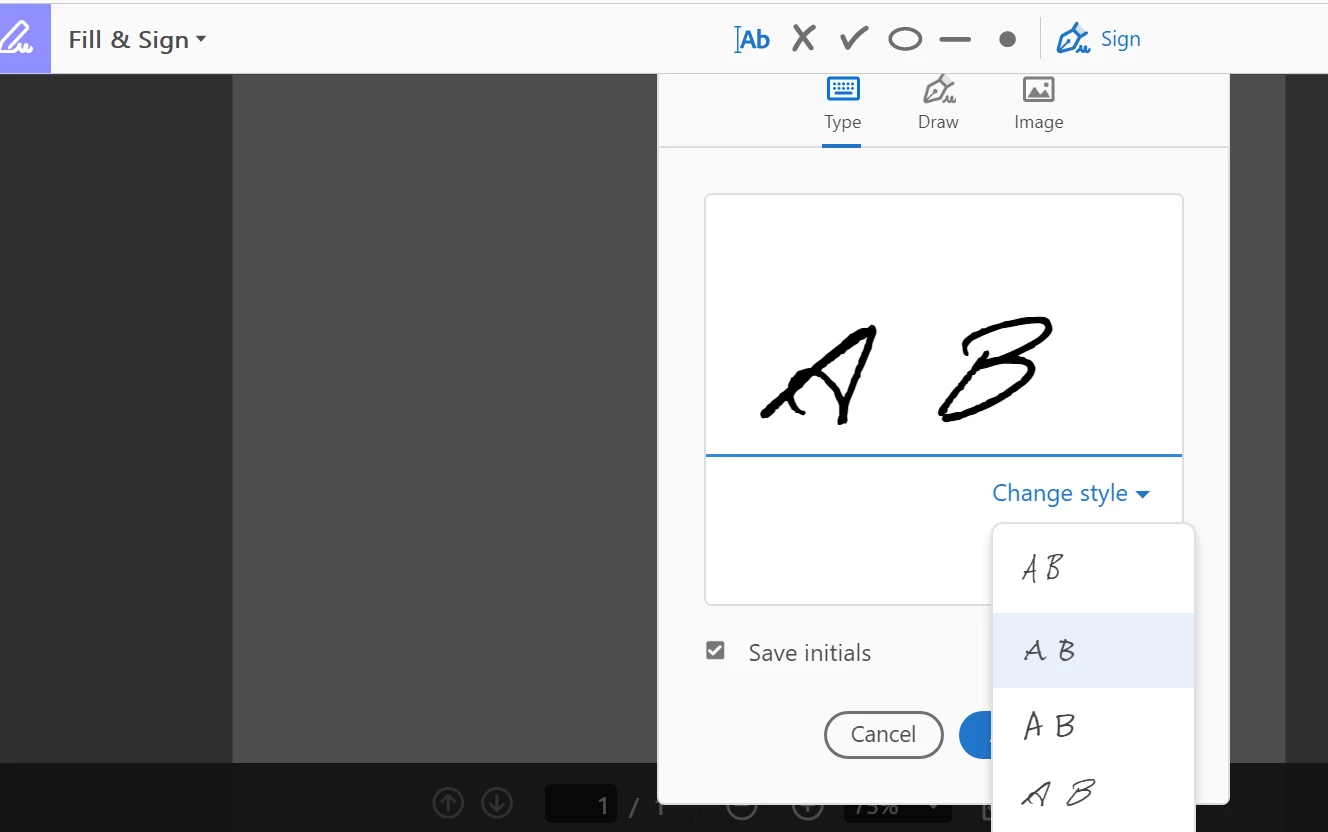
The fonts cannot be changed in the Fill&Sign as this is a designed behavior. For detailed information, you can refer to Adobe article Fill and sign PDF forms using Adobe Acrobat Fill & Sign

If you have a different query, Feel free to update this discussion for any further assistance. If possible share a screenshot of the error/issue you are facing. To share the screenshot, refer to https://forums.adobe.com/docs/DOC-7043#jive_content_id_How_do_I_attach_a_screenshot

we're here to help, just need more info.

Thanks,

Anand Sri.

1 reply

AnandSri
Community Manager
AnandSriCommunity ManagerCorrect answer
Community Manager
August 1, 2018

Hello Jimmydire,

We're sorry for the trouble you had with the Fill&Sign feature. Are you referring to change the font when you choose the 'Sign' option in Fill&Sign?

You can change the Font Style while typing your signature and 4 type of style is available, You can choose from a small selection of signature styles; click Change Style to view a different style:

The fonts cannot be changed in the Fill&Sign as this is a designed behavior. For detailed information, you can refer to Adobe article Fill and sign PDF forms using Adobe Acrobat Fill & Sign

If you have a different query, Feel free to update this discussion for any further assistance. If possible share a screenshot of the error/issue you are facing. To share the screenshot, refer to https://forums.adobe.com/docs/DOC-7043#jive_content_id_How_do_I_attach_a_screenshot

we're here to help, just need more info.

Thanks,

Anand Sri.

