
Unable to disable Welcome Screen in Acrobat 2015 or DC
Hi
I have downloaded Acrobat DC, extracted the MSI, and used the customization Wizard to remove the desktop shortcut, disable updates, and accept EULA. I have configured Group policy to set the following registry keys (among others):
HKLM\Software\Policies\Adobe\Acrobat Reader\DC\FeatureLockDown\cWelcomeScreen
bShowWelcomeScreen
Reg_DWORD
0
as per: http://www.adobe.com/devnet-docs/acrobatetk/tools/PrefRef/Windows/AVGeneral.html?zoom_highlight=welcome#idkeyname_1_4934http://www.adobe.com/devnet-docs/acrobatetk/tools/PrefRef/Windows/AVGeneral.html?zoom_highlight=welcome#idkeyname_1_4934
and the following Welcome screen keeps appearing:
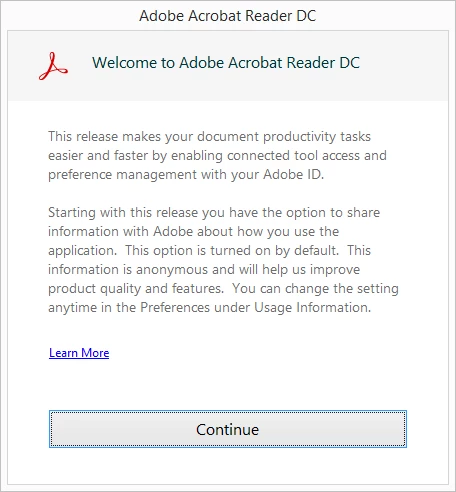
I have also downloaded Acrobat 2015, and used the same process, but used the registry:
HKLM\Software\Policies\Adobe\Acrobat Reader\2015\FeatureLockDown\cWelcomeScreen
bShowWelcomeScreen
Reg_DWORD
0
and it still appears.
is there a way to disable the welcome screen that appears?
 AdChoices