
davidl8662109
Participant
November 6, 2019
Question

Unable to Disable Welcome to Adobe Acrobat screen and "Get App" with new version 19.021.20047

  • November 6, 2019
  • 2 replies
  • 3662 views

I have been deploying Adobe Reader DC to our Windows workstations for some time. I have Disabled the Welcome to Acrobat DC screen that has shown things like Get App for "Go mobile with your PDFs" for example as we dont allow users to click on these type of buttons.


This has been done by setting Registry keys the Policies section.


It appears that the new 19.021.20047 version does not use these settings as it is showing again. The last version we deployed that was fine was 19.012.20036
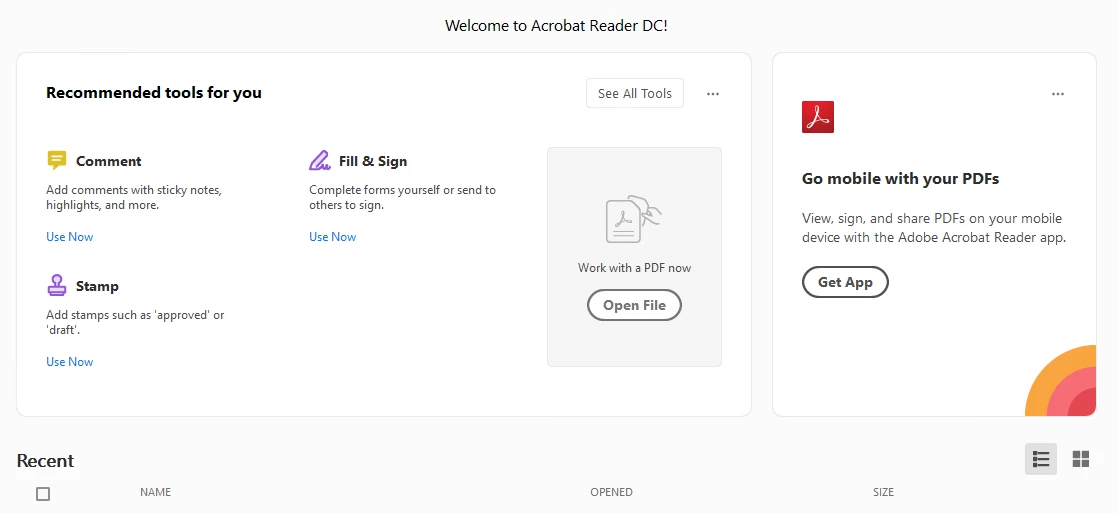
Has anyone come across this issue?

This topic has been closed for replies.

2 replies

Participant
April 22, 2020


Solved it like this: Create cIPM key in HKLM/Software/Policies/Adobe/Acrobat Reader/DC/FeatureLockDown/

in it create bShowMsgAtLaunch REG_DWORD with value 0

do this to a MST via Adobe Customization Wizard DC.

it adds the reg keys during install and all is good.


Participating Frequently
April 22, 2020

Thanks so much radi7024. Do you know how to remove the recommended tools for you. 

Participant
April 23, 2020

No, I haven't searched for it.

Check if you can hide it from Preferences and then see which reg. key is responsible for it and add it via ACW DC.

Participant
February 27, 2020

I need solution for the same problem! Anyone solved this?

Participating Frequently
April 22, 2020

I know this an old thread, anyone solved this?