
Participant
October 4, 2018
Answered

Unbale to update Acrobat Reader DC - 2019.008.20071 MSP Patch

  • October 4, 2018
  • 1 reply
  • 5392 views

I am trying to update Adobe Acrobat Reader DC, continues TRACK with "AcroRdrDCUpd1900820071.msp".

AcroRdrDCUpd1900820071.msp throws error during installation " Product: Adobe Acrobat Reader DC -- Error 1606.Could not access network location This is the default property for default.mst file."
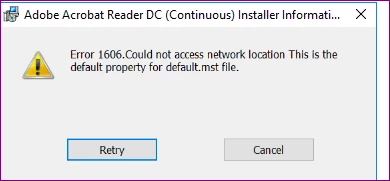
Anyone else facing same issue with patch installation or any idea how to solve this ?

Thanks in Advance

Regards,

Deept

This topic has been closed for replies.
Correct answer Mohd Amish

Please try the cleaner at: Download Adobe Reader and Acrobat Cleaner Tool - Adobe Labs and then retry installation.

1 reply

Mohd AmishCorrect answer
Adobe Employee
October 8, 2018

Please try the cleaner at: Download Adobe Reader and Acrobat Cleaner Tool - Adobe Labs and then retry installation.

Participant
October 9, 2018

Thanks Mohd Amish,

issue resolved after uninstalling the old version Acrobat and deleting few office registry.

HKEY_LOCAL_MACHINE\Software\Microsoft\Office\16.0

Regards,

Adobe Employee
October 9, 2018

=== Logging stopped: 10/9/2018  15:25:05 ===
MSI (c) (DC:7C) [15:25:05:337]: Product: Adobe Acrobat Reader DC - Update 'Adobe Acrobat Reader DC
(19.008.20071)' could not be installed. Error code 1603. Additional information is available in the log file C:\workspace\log.log.

MSI (c) (DC:7C) [15:25:05:337]: Windows Installer installed an update. Product Name: Adobe Acrobat Reader DC. Product Version: 19.008.20071. Product Language: 1033. Manufacturer: Adobe Systems Incorporated. Update Name: Adobe Acrobat Reader DC
(19.008.20071). Installation success or error status: 1603.

MSI (c) (DC:7C) [15:25:05:337]: Windows Installer reconfigured the product. Product Name: Adobe Acrobat Reader DC. Product Version: 19.008.20071. Product Language: 1033. Manufacturer: Adobe Systems Incorporated. Reconfiguration success or error status: 1603.

MSI (c) (DC:7C) [15:25:05:353]: Grabbed execution mutex.
MSI (c) (DC:7C) [15:25:05:353]: Cleaning up uninstalled install packages, if any exist
MSI (c) (DC:7C) [15:25:05:353]: MainEngineThread is returning 1603
=== Verbose logging stopped: 10/9/2018  15:25:05 ===


Thanks pawelk75571721. Seems like something related to MS office. Can you please try the steps listed at: https://support.microsoft.com/en-gb/help/886549/you-receive-an-error-1606-error-message-when-you-try-to-install-or-rem and retry installing?