
Bob Schwart
Participant
September 17, 2018
Question

Unnecessary white area at the bottom of every page

  • September 17, 2018
  • 1 reply
  • 1859 views

Hello,

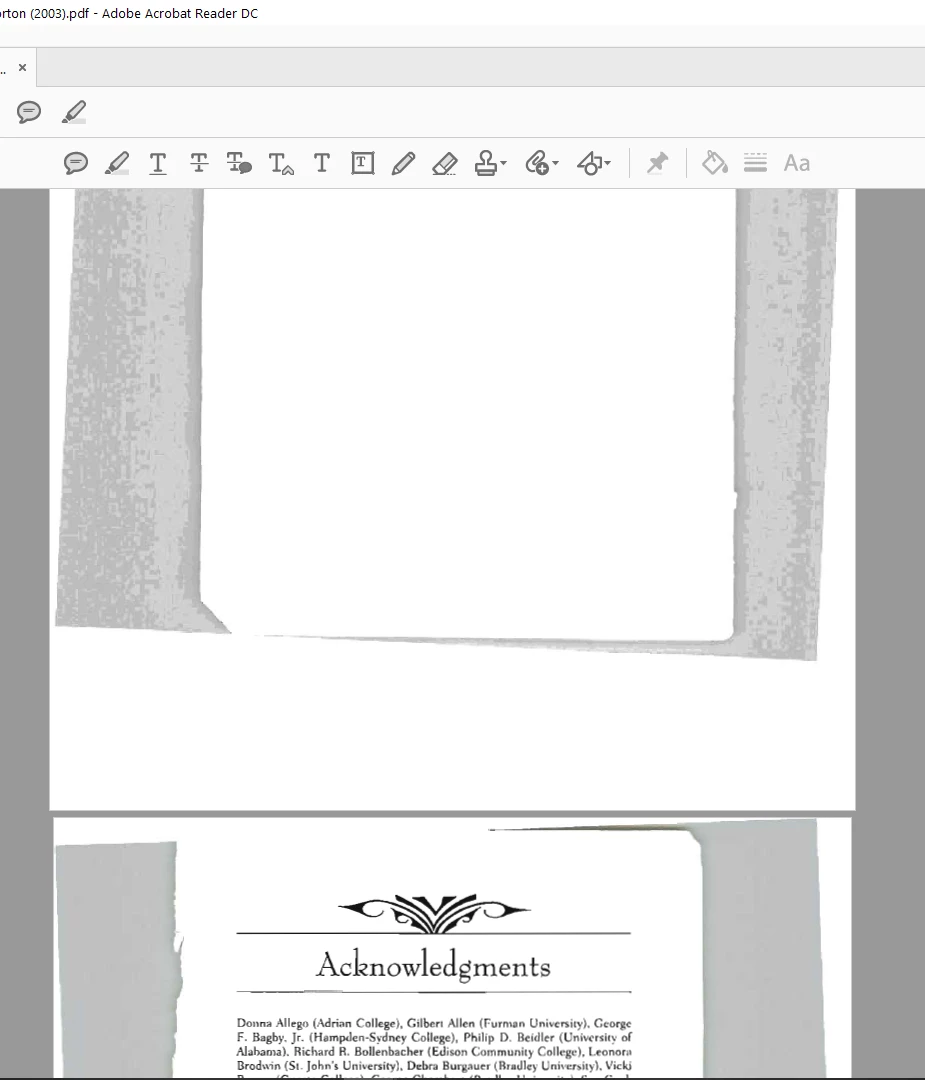
Today, I accidentally did an action of some sort that put a white area at the bottom of every single page of my document. This white block ends up sitting between pages and makes it very annoying to read the document. I have no idea what I did, and I am not sure how to revert it, as the undo command didn't do anything.

I would like to remove this white area that was suddenly added.
    This topic has been closed for replies.

    1 reply

    AnandSri
    Community Manager
    Community Manager
    September 17, 2018

    Hello BobSchwart,

    We're sorry for the trouble you had, with the above screenshot, the PDF seems to be a scanned PDF and the white blank spaces seem to be added during scanning of the pages.

    Would you mind sharing more details about the 'action' you were referring? Did you scan the pages as Adobe PDF? Or have you received this PDF as a scanned PDF?

    Go to Edit>Preferences>Accessibility>Select 'Replace Document Colors' and then under Custom Color> Change the 'Page background Color' and see if this brings any difference.

    You can remove the white area using Acrobat and crop the unwanted space. For detailed information, refer to Adobe article Crop PDF pages in Adobe Acrobat

    Let us know how it goes and share your observation.

    Thanks,

    Anand Sri.