
Participant
November 20, 2016
Question

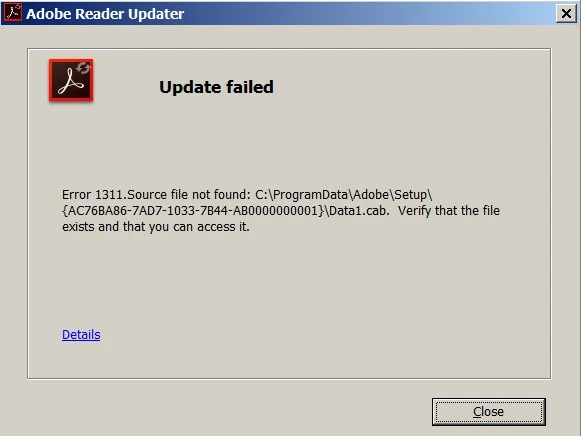
Update failed messages.

  • November 20, 2016
  • 1 reply
  • 981 views

Why do I keep getting update failed messages when I have tried everything possible to disable automatic updates.  Where is this malware hiding that keeps invading my computer searching for files and causing this message?
    This topic has been closed for replies.

    1 reply

    Adorobat
    Participating Frequently
    November 25, 2016

    Hi rickcarufel,

    You might need to perform the step given in the link mention below:

    Disable automatic updates in Adobe Reader DC?

    Could you please let me know what options have you tried to disable automatic updates?

    Participant
    November 26, 2016

    I shut off automatic updates in the start menu and services using the msconfig command for every Adobe product.  Unless Adobe is doing something that installs malware and violates my right to privacy that's all I should have to do.

    Adorobat
    Participating Frequently
    November 27, 2016

    Hi rickcarufel,

    You might have changed the startup type of Adobe Reader Updater, that doesn't stop Reader from checking the updates.

    Try to change preferences for Reader in registry and see if that works.

    1- Close Reader.

    2- Press and hold Windows key and press R on the keyboard, type regedit and hit Enter

    3- Navigate to HKEY_LOCAL_MACHINE\SOFTWARE\Policies\Adobe\Acrobat Reader\DC\FeatureLockDown

       This key is for Reader DC, if you have other version of Reader, for ex- 11, the key should be Acrobat Reader\11.0

    4- Right-click FeatureLockDown>select New>DWORD value

    5- Type bUpdater and hit enter

    6- Double click bUpdater and select 0 as a value>click OK

    7- Exit registry Editor.