
Participant
October 18, 2018
Question

Update notifications still pop up

  • October 18, 2018
  • 1 reply
  • 839 views

I work in for an IT Department at an education facility. I have disabled the updater service and disabled the auto updates via the Reader GPO setting, but people have recently mention they are receiving the update notification windows. What else do i need to do to make sure the update notification box does not appear on client machines? We are running Win7 and Win10 (x86 and x64).

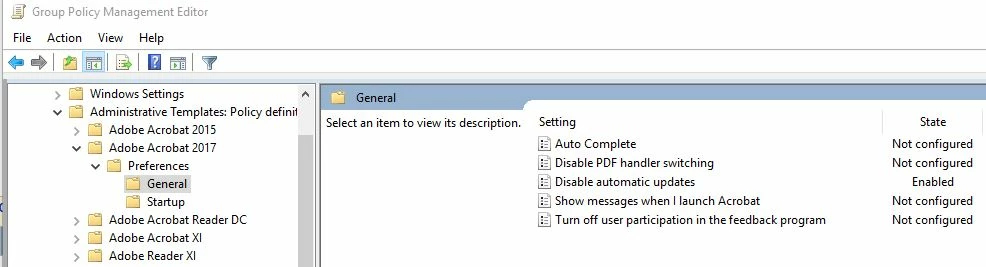
Thanks.

This topic has been closed for replies.

1 reply

AnandSri
Community Manager
Community Manager
October 18, 2018

Hello Sethb,

We're sorry for the trouble you had with Adobe Reader, what is the dot version of Adobe Reader deployed on the machine? To identify the dot version, take help from the article Identify the product and its version for Acrobat and Reader DC

I have also shared the steps to collect the log files for the machine by direct message, please check your email inbox.

Thanks,

Anand Sri.

sethb10Author
Participant
October 19, 2018

Shown below is Version number of reader that is on the client, where the notification box appeared. I have also set a group policy to modify the bUpdater value to 0.

Also i did not receive any email.

AnandSri
Community Manager
Community Manager
December 26, 2018

Hello sethb,

I am sorry for the delayed response and inconvenience caused, please install the latest patch of Acrobat/Reader 19.010.20064 from help>check for updates, or manually from DC Release Notes — Release Notes for Acrobat DC Products

Reboot the machine and check

Let us know if you experience any issue.

Regards,

Anand Sri.