
Copy link to clipboard
Copied
When print document the fields are yellow instead of blue.
I understand that the fields are highlighted in blue which we can found in "Preferences - Forms - Highlight Color and enabled Show border hover color for fields."
Now when I print the document, the background of these fields are yellow.
I want to keep the blue color (or any color) when I want to print and not have the yellow color.
See attachment.
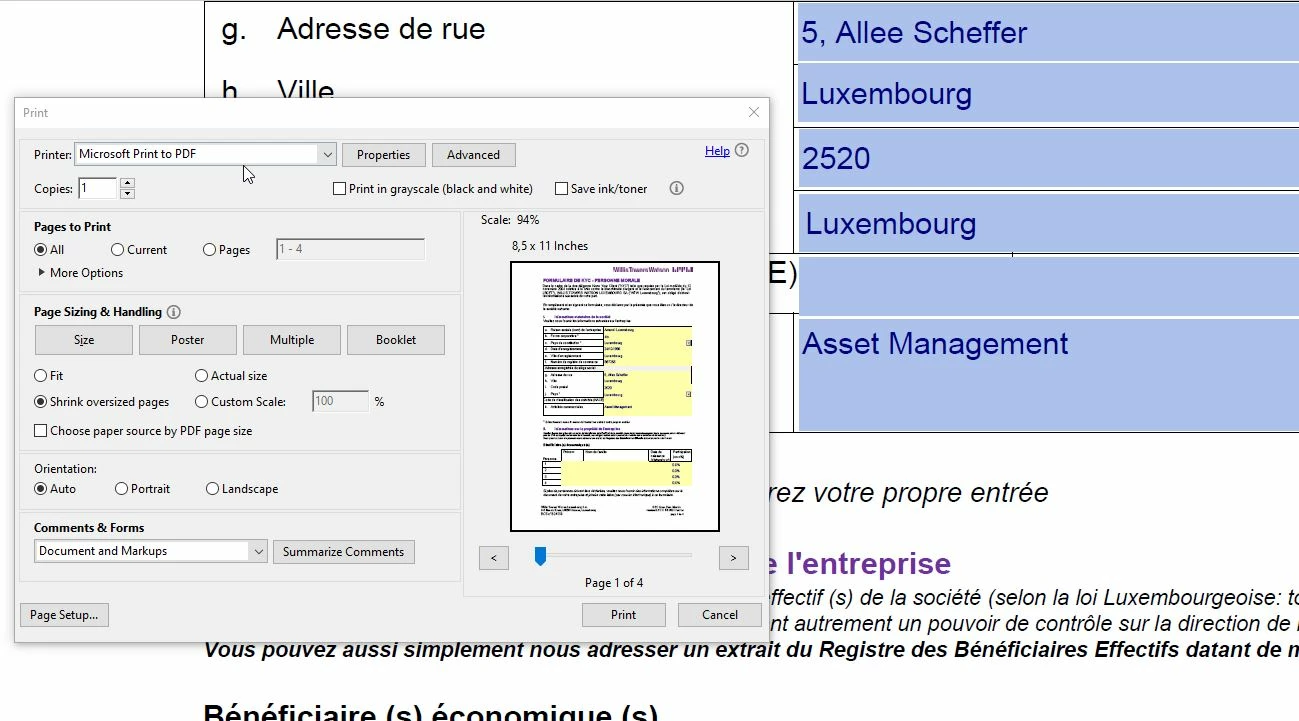
 
May be that the creator of the form uses yellow for the form fields.
Copy link to clipboard
Copied
I don't know why it prints yellow, but highlighting is just a helper for the screen, on your own computer only. Don't expect it to print.
Copy link to clipboard
Copied
May be that the creator of the form uses yellow for the form fields.
Copy link to clipboard
Copied
It could be because several colleagues tried with their own adobe reader (even with other 3rd party apps) and have the same case. I will ask the user to request the owner of the file to change this color...or simply remove it.
Thanks for your help!
Get ready! An upgraded Adobe Community experience is coming in January.
Learn more