noae59136226
Participant
September 2, 2018
Answered

where's the toolbar?

  • September 2, 2018
  • 2 replies
  • 1417 views

hi,

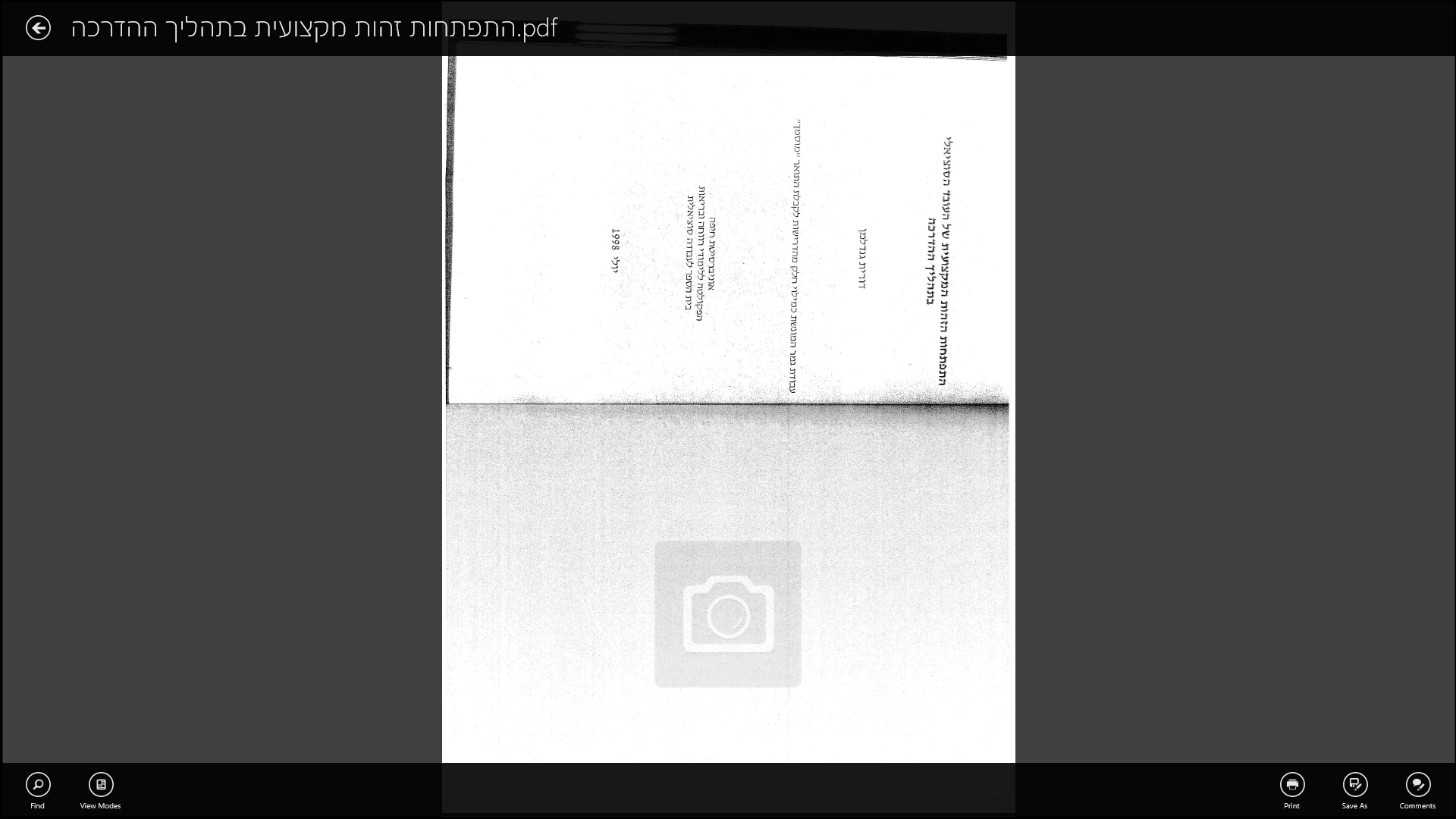
after scanning (with canon pixma mx495) to my windows 10, all i can see is the actual document. no toolbar in site, so i can't edit or even rotate (screenshot bellow). i tried F8 but nothing happened.

another issue is that i can't save the document in a way that 's not web related (the document-opening options given are via  Explorer or Google Chrom.

any ideas regarding both this problems?

thank's!!
/

    This topic has been closed for replies.
    Correct answer hans-g.

    Hello Noa,

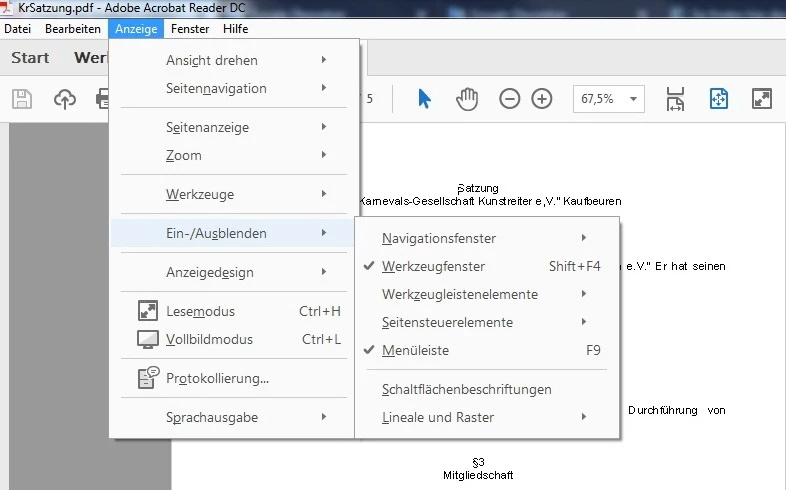
    as a first answer: my (German) AR starts in this way and from "Anzeige" I can open the menu til I arrive at "Werkzeugfenster" (Shift+F4) and "Menüleiste" (F9):

    Hans-Günter

    2 replies

    Bernd Alheit
    Community Expert
    Community Expert
    September 2, 2018

    Open the file in Acrobat Reader.

    hans-g.
    hans-g.Correct answer
    Legend
    September 2, 2018

    Hello Noa,

    as a first answer: my (German) AR starts in this way and from "Anzeige" I can open the menu til I arrive at "Werkzeugfenster" (Shift+F4) and "Menüleiste" (F9):

    Hans-Günter

    noae59136226
    Participant
    September 2, 2018

    Thank you so much for the quick and detaild reply. The problem is that when i start the Adobe, all i can see is the document itself, on a black surface - so i couldn't proceed anywhere, i have no accsess to the toolbars you uploaded...

    Bernd Alheit
    Community Expert
    Community Expert
    September 2, 2018

    What did you start? Adobe is a company. And your screenshot doesn't show any Adobe product.