
Known Participant
November 4, 2024
Question

Windows - Application Error when opening any PDF document on C:\

  • November 4, 2024
  • 2 replies
  • 961 views

Hello,

everytime I open a PDF in Adobe Acrobat Reader (64-bit), currently Version 2024.002.21005,

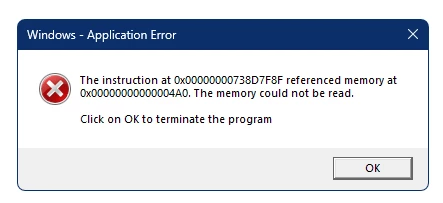
it shows the following Popup with a Error Message:


Windows - Application Error

The instruction at 0x00000000738D7F8F referenced memory at
0x000000000004A0. The memory could not be read.
Click on OK to terminate the program

                                                                                              [ OK ]
 

2 replies

Participant
December 10, 2024

Check 'Properties' for the Adobe application you are using and if the "Run this program in compatibility mode for:" is checked, uncheck it.

1.  Right-click on the Adobe product (you may need to navigate to its folder) and select Properties.

2.  Click on the Compatibility tab.

3.  Uncheck "RunRun this program in compatibility mode for:"

4.  Run the compatibility troubleshooter if the issue persists.

Known Participant
December 11, 2024

The compatibility mode was and is not active.

Known Participant
November 4, 2024

@Moderators: Please move this Thread to "Acrobat Reader Community"

Known Participant
November 4, 2024

I'm not alone - other Colleagues get the same Error Message.