
matteob495
Participant
August 2, 2018
Answered

Acrobat Reader DC requires a font package to correctly display a .pdf file

  • August 2, 2018
  • 2 replies
  • 167731 views

Hi everybody,

I have a problem with Adobe Acrobat Reader DC. When I try to open a .pdf file Acrobat says that is required a font package to correctly display the document.

The screenshot of the pop-up is here:
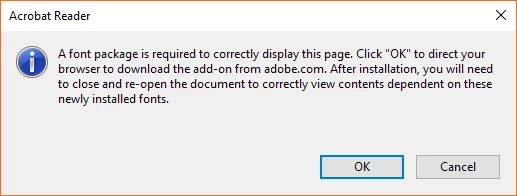
When I click "OK", my browser says that is impossible to load the Internet page (the internet page is corrupted?).

So...What can I do with this issue? How can I download this required font package?

P.S. I look into my .pdf document's proprieties and the font that it uses are these:
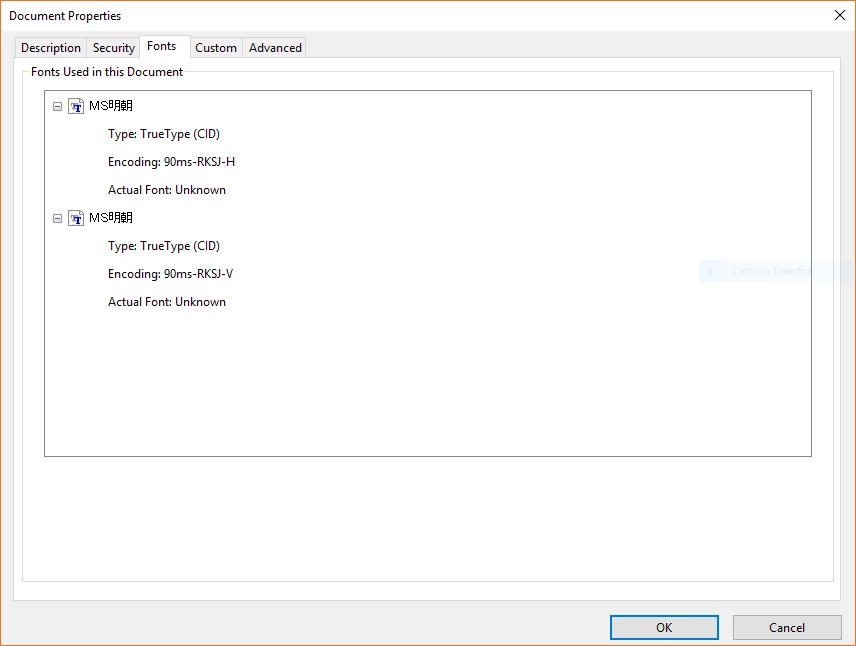
I'm Italian and normaly I use the italian version of Adobe Reader DC on my Windows 10 PC.

This topic has been closed for replies.
Correct answer Test Screen Name

I think this is what you need: Adobe - Adobe Reader : For Windows : Adobe Acrobat Reader DC Font Pack (Continuous)  You might find the document is all in Japanese.

2 replies

Participant
March 16, 2021

I've gotten this message twice in our office all from outside scanned documents attched to emails.  We are getting them through Outlook which gives us a normal preview of the scan within email, and also allows us to print with a the quick print option but prints a blank page.  Adobe reader DC wont open them, the docs aren't using any fonts what so ever, yet prompts for a the font package update. 

Test Screen NameCorrect answer
Legend
August 2, 2018

I think this is what you need: Adobe - Adobe Reader : For Windows : Adobe Acrobat Reader DC Font Pack (Continuous)  You might find the document is all in Japanese.

matteob495
Participant
August 2, 2018

It works!

Thank you very much!