
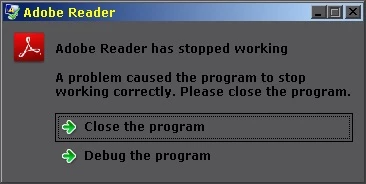
Adobe Reader XI has stopped working
Windows 7 Enterprise x64 with SP1 and latest updates.
Setup file: AdbeRdr11000_en_US.exe; size: 37,868,688 bytes; MD5 hash: bddd3d06af44ff7497f2c5125553a5ba.
First installation attempt was upgrade (without uninstalling prior version), second attempt was after uninstalling faulting Adobe Reader XI.
Event ID 1040
Beginning a Windows Installer transaction: C:\ProgramData\Adobe\Setup\{AC76BA86-7AD7-1033-7B44-AB0000000001}\AcroRead.msi. Client Process Id: 464.
Event ID 0
The description for Event ID 0 from source AdobeARMservice cannot be found. Either the component that raises this event is not installed on your local computer or the installation is corrupted. You can install or repair the component on the local computer.
If the event originated on another computer, the display information had to be saved with the event.
The following information was included with the event:
Service started
Event ID 1042
Ending a Windows Installer transaction: C:\ProgramData\Adobe\Setup\{AC76BA86-7AD7-1033-7B44-AB0000000001}\AcroRead.msi. Client Process Id: 464.
Event ID 11707
Product: Adobe Reader XI -- Installation operation completed successfully.
Event ID 1033
Windows Installer installed the product. Product Name: Adobe Reader XI. Product Version: 11.0.00. Product Language: 1033. Manufacturer: Adobe Systems Incorporated. Installation success or error status: 0.
Event ID 1000
Faulting application name: AcroRd32.exe, version: 11.0.0.379, time stamp: 0x505fd19e
Faulting module name: lockpdfu.dll_unloaded, version: 0.0.0.0, time stamp: 0x505139a4
Exception code: 0xc0000005
Fault offset: 0x032987c8
Faulting process id: 0x468
Faulting application start time: 0x01cdabb61ad04335
Faulting application path: E:\progs\adobe_reader\Reader\AcroRd32.exe
Faulting module path: lockpdfu.dll
Report Id: 58c2241c-17a9-11e2-847c-90e6ba73926e
 AdChoices