
November 21, 2017
Answered

Blank PDFs, not opening, could not connect to DDE server (2018.009.20044)

  • November 21, 2017
  • 2 replies
  • 2072 views

So far four people in our organization (all running Windows 10 1607) are having various problems with Acrobat Reader DC (2018.009.20044).

One user opening PDFs downloaded from Xero appear to be blank but when opened on any browser (Chrome, Firefox, Edge) content appears.

All affected users eventually aren't able to open PDFs whatsoever and there are several instances of Adobe Reader in task manager and when these tasks are ended, users can open PDFs again for a limited time. Sometimes PDFs will also not open from Outlook 2016.

I have attempted re-installation and repairs but these only work temporarily.

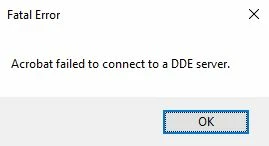
Some of these users had an error "Acrobat failed to connect to a DDE server." and the issues have appeared to have begun from this. Sorry if I'm not entirely clear but this issue has really got me scratching my head.
This topic has been closed for replies.
Correct answer AshuMittal9644438

Hi all,

Adobe Acrobat and Reader official update containing the fix for this issue is now available. This update will be automatically pushed to all existing installations of Acrobat and Reader. If you want, you may also manually trigger the update by opening the application and going to Help > Check for Updates.

More information about this release is here: Acrobat Help | Release notes | Acrobat DC and Acrobat Reader DC | Update

Please try it out and let us know your feedback.

Thanks for your patience and support!

-ashu

2 replies

nathanbaus
Participant
November 22, 2017

It's an Acrobat Reader fault. Adobe are aware and are working on it.

https://forums.adobe.com/message/9983619#9983619

In the meantime the solution for all of our clients has been to install other PDF reader products, like Sumatra or Foxit.

AshuMittal9644438
Adobe Employee
Adobe Employee
November 24, 2017

Hi all,

Sorry for the inconvenience.


We are aware of this issue and the fix is currently undergoing internal validations. We will confirm once the patch is available for general public.

Thanks for your patience,

-ashu

AshuMittal9644438
Adobe Employee
AshuMittal9644438Correct answer
Adobe Employee
November 29, 2017

Hi all,

Adobe Acrobat and Reader official update containing the fix for this issue is now available. This update will be automatically pushed to all existing installations of Acrobat and Reader. If you want, you may also manually trigger the update by opening the application and going to Help > Check for Updates.

More information about this release is here: Acrobat Help | Release notes | Acrobat DC and Acrobat Reader DC | Update

Please try it out and let us know your feedback.

Thanks for your patience and support!

-ashu

AnandSri
Community Manager
Community Manager
November 21, 2017

Hello Rossz,

We apologize for the inconvenience caused, as per the description above, you are getting DDE server error, Is that correct?

Please try the troubleshooting steps provided below:

1) Make sure that the application is not open to the Task Manager.

  • Go to the Task Manager by pressing Ctrl+Alt+Del.
  • Go to the processes in Task Manager.
  • End all processes related to Acrobat.
  • Restart the computer.
  • Launch Acrobat again.

2) Repair the application. Open Acrobat and navigate to Help menu > Repair installation.

3) Check the file association on your system.

Hope this helps, and let us know how it goes.

Regards,

Anand Sri.

November 21, 2017

Hey Anand,

These fixes will only work temporarily before the issue arises again. Also this issue is now affecting more than one of our clients so it is not site specific.