


PDF won’t display. Please wait …
PDF won’t display. Please wait…
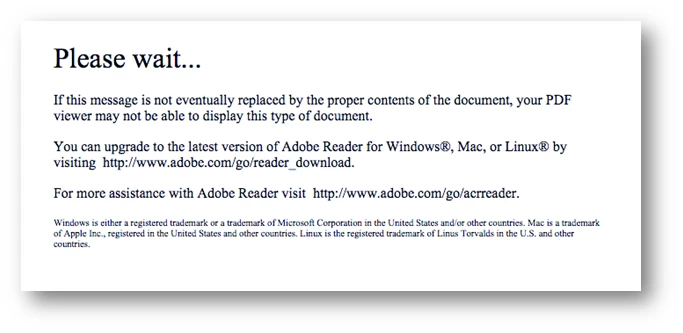
If you are getting this message while viewing a pdf in a browser, you are most likely trying to open a Dynamic XFA (XML Form Architecture) PDF. To view such pdf documents, we recommend you to download the file locally and open it either in Adobe Reader or Adobe Acrobat.
How to check PDF is created in LiveCycle Designer:
- Open a file in Acrobat/Reader. Click on File > Properties. Once you get the properties dialog box check, click on Description tab, check Application and PDF Producer.
Dynamic XFA PDF/Form:
Dynamic forms are based on an XML specification known as XFA, the “XML Forms Architecture”. The information about the form (as far as PDF is concerned) is very vague – it specifies that fields exist, with properties, and JavaScript events, but does not specify any rendering. This allows them to redraw as much as necessary, with Sub-forms repeating on the page, sections appearing and disappearing as appropriate, the ability to pull in form fragments stored in different files, and objects re-arranging as you (the developer) dictate.
This also means that some features of Acro-Forms and flat PDFs are lost.
XFA Forms cannot be annotated. Reader (or Acrobat) cannot know whether all your custom code may change the layout. As such, without any render data, and a chance that the render data may be drastically altered on the fly, local annotations cannot be implemented. An annotation only has a sense at an {x,y} location, but if the item you annotate changes location, your annotation becomes meaningless, if not misleading.
XFA Forms cannot have their pages extracted. There is no render data to determine pages. Change some data in the form, and the layout of the pages may change drastically. You must “flatten” the PDF before extracting pages, thereby losing interactive properties.
XFA Forms cannot be optimised for fast web viewing. There is no render information. Data at the end of the document may affect displays on the first page of the document.
For more information about Flat and Dynamic PDF: http://blogs.adobe.com/an_tai/archives/172
Working with Dynamic PDF’s: http://www.adobepress.com/articles/article.asp?p=2158443&seqNum=3
Also, editing XFA forms: https://helpx.adobe.com/acrobat/kb/edit-xfa-form.html
* Change in support for Acrobat and Reader plug-ins in modern web browsers
 AdChoices