

Participating Frequently
June 27, 2017
Answered

There was a problem reading this document (14)

  • June 27, 2017
  • 17 replies
  • 269870 views

Hello,

I'm trying to open document in adobe acrobat professional or reader it gives me this error
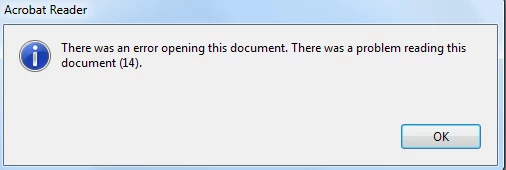
however it work good with in chrome

is there any fix for this

Correct answer Karl Heinz Kremer

This is an indication for a corrupt PDF file. When you hold down the CTRL key when you click on the OK button, you will get a more technical explanation of the error. Chrome - being a much more basic PDF viewer - may not even look at that section of the PDF document because it may be related to information it cannot even display.

17 replies

New Participant
April 19, 2024

Good day! This app in the Microsoft store worked perfectly for me 

New Participant
August 22, 2023

I opened it up with my Documents app. I was able to remove the stamps throught there and then I emailed it to myself. I was able to edit and save after that. I tried exporting but that didnt work

January 11, 2023

I'm getting all of the message described... I was able to do a "save" a few times... but then started giving me back the above messages... no keep in mind my file is now 232megs now because I can't compress with the "save as" function. The file is over 10,000 pages.

Randy

New Participant
August 26, 2022

I'm sorry but I'm having this issue as well, and I'm having a hard time blaming the author of the PDF, or a "corrupt file" for the problem, as the file opens beautifully in all web browsers, as well as preview for mac. 


In my case Acrobat is unable to read the file at the point where there's a big table of contents. The TOC works perfectly in preview and in all of the other tools I've opened it in. 


Acrobat is supposed to be the "advanced tool" for working with PDFs but it can't open a document that a "less advanced" reader can open? Seems like maybe Acrobat in this case is "too advanced" for it's own good. 


Why can't acrobat give me a warning, and then open the rest of the document? Or just pull the text from the TOC and leave the TOC inactive if it can't deal with the actual links? Or even better, just work properly and open the file like preview and every other program?  


This is clearly buggy behavior. PDF file attached for reference. 

New Participant
May 17, 2022

I also ran into this problem, which wasted a lot of my time.  I was working on a PDF file and was able to save it at every step until at one random point where I inserted a text just like the ones I have been inserting before, it gave me this error.  Nothing I tried, including some suggestions here, worked. 

Actually I can not afford to get deep into the intricacies of the 1000 pages of Adobe manual to solve this problem.  I don't believe it is incumbent on the user to do this.  This only means as a commercial, paid user application, Adobe Acrobat is a very low quality product.  I am saying this not only because of this problem, but due to all the nuisance and problems I have encountered, quite typical and symptomatic of Adobe Acrobat, for the past few years that could not be solved without a PhD in Adobe Acrobat. 

New Participant
May 17, 2022

Just a note added: I opened that "corrupted" PDF file in Microsoft Edge, edited it as I did before in Acrobat, and saved with no problem.  I paid zero for MS Edge.

New Participant
March 31, 2022

Old thread but still a constant annoyance. It's amazing to me that Acrobat DC cannot open some PDFs but Chrome can. As others have said, this is an Adobe issue. Whether it's the program or the technical documentation. Also as others have said, export to Word and save as a PDF from Word. The Tiff and Chrome workarounds didn't work for me.

New Participant
October 22, 2021

The only way I was able to fix that was exporting to word and on Word saving it as a PDF again

New Participant
July 28, 2021

I solved this by restarting Adobe. I had a document open already for several days. So i completely closed the software not just the specific tab.

New Participant
June 15, 2021

Simple and quick,


Go to print and print in PDF, it will automatically save it in proper PDF and you can open it with any pdf program you like.

New Participant
March 28, 2021

Hello,

I have tried to export the pdf document in to word document. It worked for me.

Known Participant
May 5, 2021

Still reviving this old thread that won't die...

This 14 error happens often when working with Word. I'm assembling a dozen PDFs into one, most of them came from MS Word and I'm getting a 124 error more than 50% of the time when inserting, plus a can't save error 100% of the time on first try, but saves on the second or third attempt. And then everything opens and look s good.  Have to suspect Word.