


Participant
June 9, 2016
해결됨

How do I get rid of the popup taskbar at the bottom?

  • June 9, 2016
  • 2 답변들
  • 1127 조회

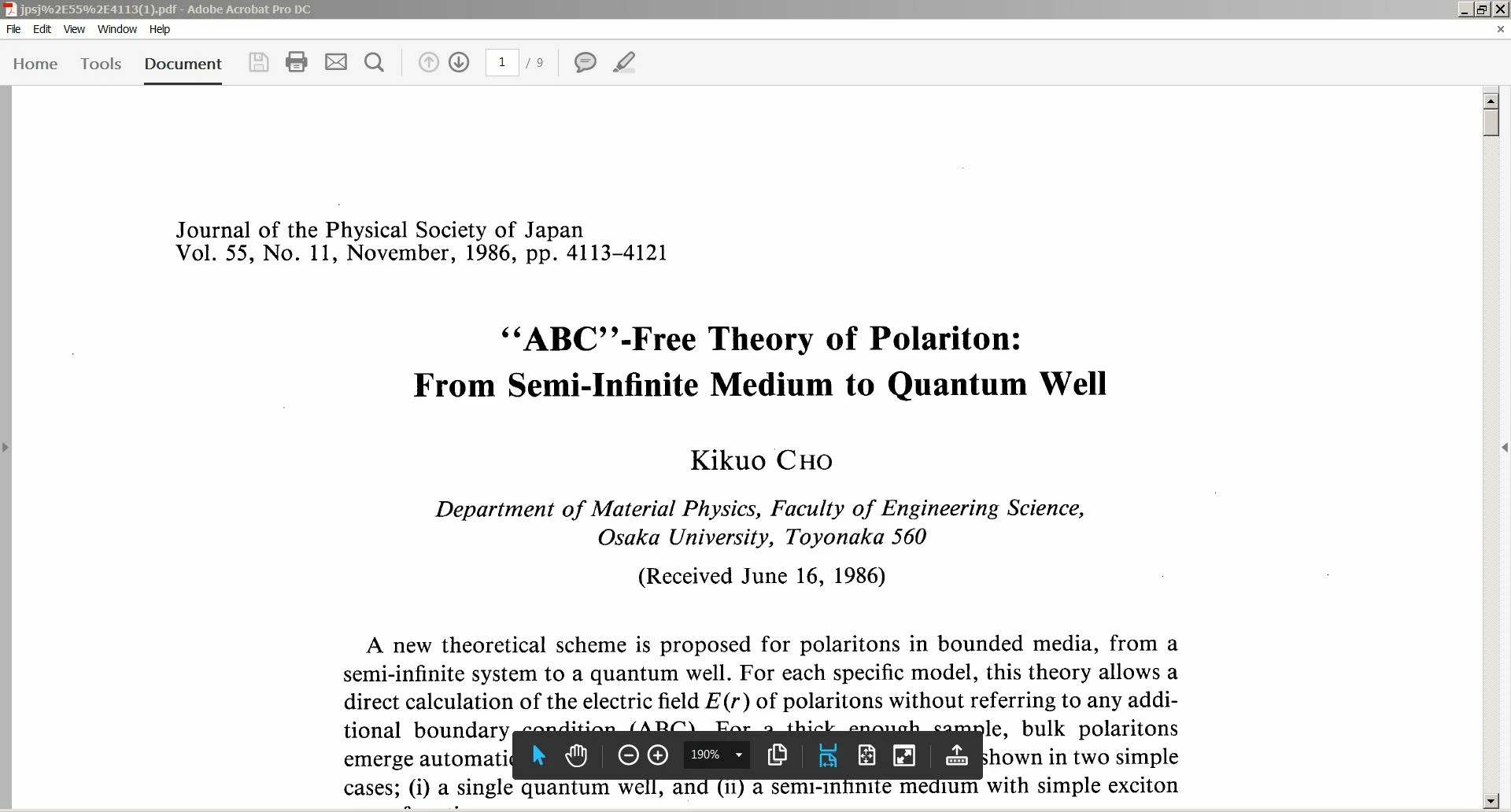
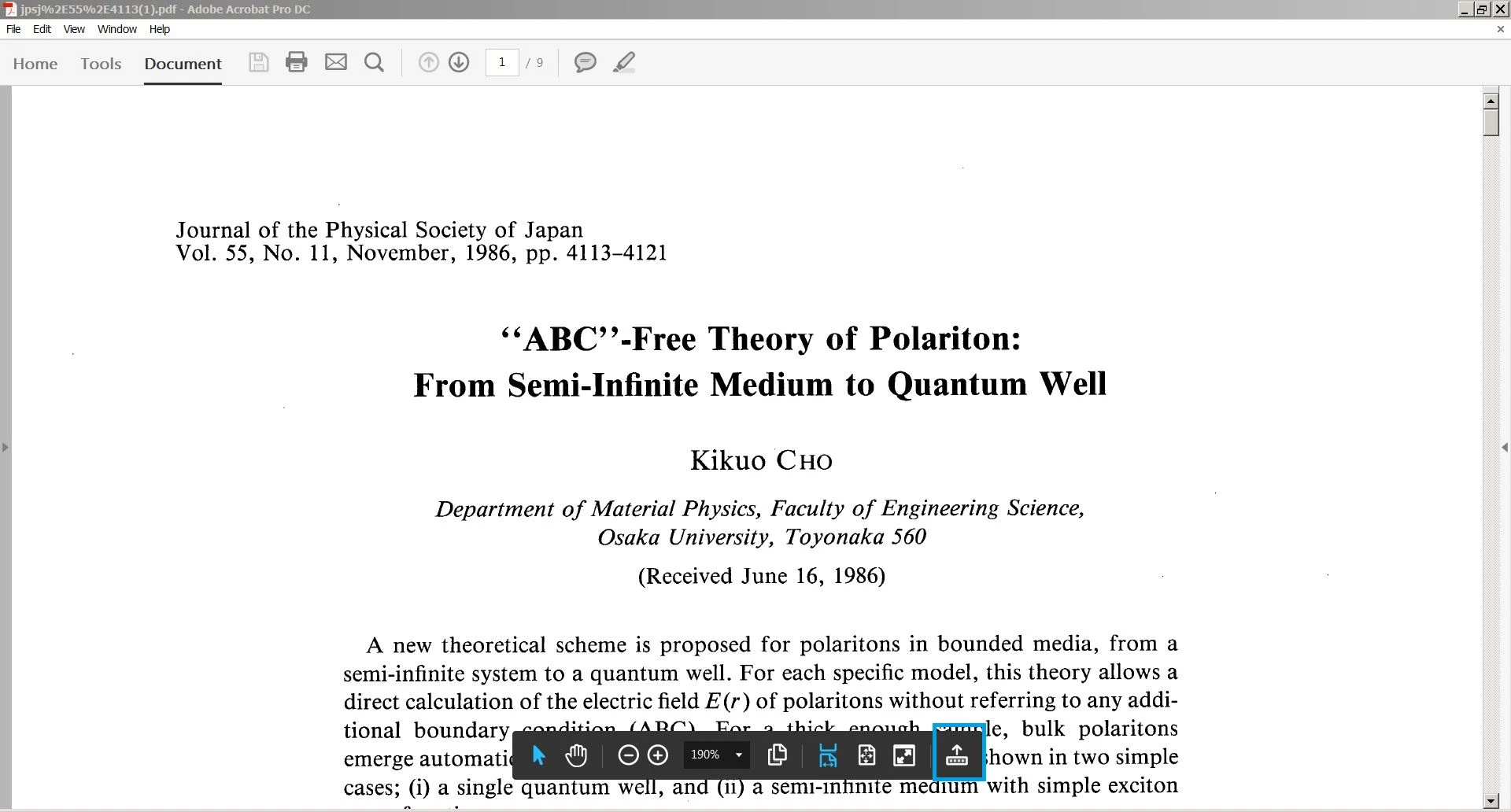
I was forced to use the new Acrobat. It has an annoying taskbar that pops up at the bottom. For a few seconds, I can't read the text below. I would like to stop it or make it persist for a shorter amount of time.

I gave up searching the manual. Help doesn't work perhaps because of security vulnerabilities. A Google search didn't work.

None of the forum options are appropriate for this how-to question. Thus I took the first one. I didn't search the forum because I already tried a Google search.
이 주제는 답변이 닫혔습니다.
최고의 답변: Adorobat


You can click Page Controls option in the end which will take this toolbar to the top.

2 답변

Participant
June 9, 2016

Thanks for responding. It is the black taskbar with the selection tool as the first item.

I was surprised that it persisted long enough for me to grab it with the snipping tool.

I don't see how to upload the image. Thus I sent it as an email attachment.

Adorobat
Community Manager
Community Manager
June 9, 2016

Let me tell you how you can upload an image here :

Click "Reply"

1 - Click "Picture" icon

2- A pop-up will come asking you to "Choose File" Click it and select the picture you want to upload.

3-Then hit "Insert image"

Thanks!

Participant
June 9, 2016

Adorobat
Community Manager
Community Manager
June 9, 2016

Hi haroldh82801214 ,

Could you post a screenshot of the pop-up message ?

Thanks!

Shivam