

Richtpt
Inspiring
March 23, 2022
해결됨

How to parse JSON output from Adobe Services Extract in Microsoft Power Automate

  • March 23, 2022
  • 2 답변들
  • 3135 조회

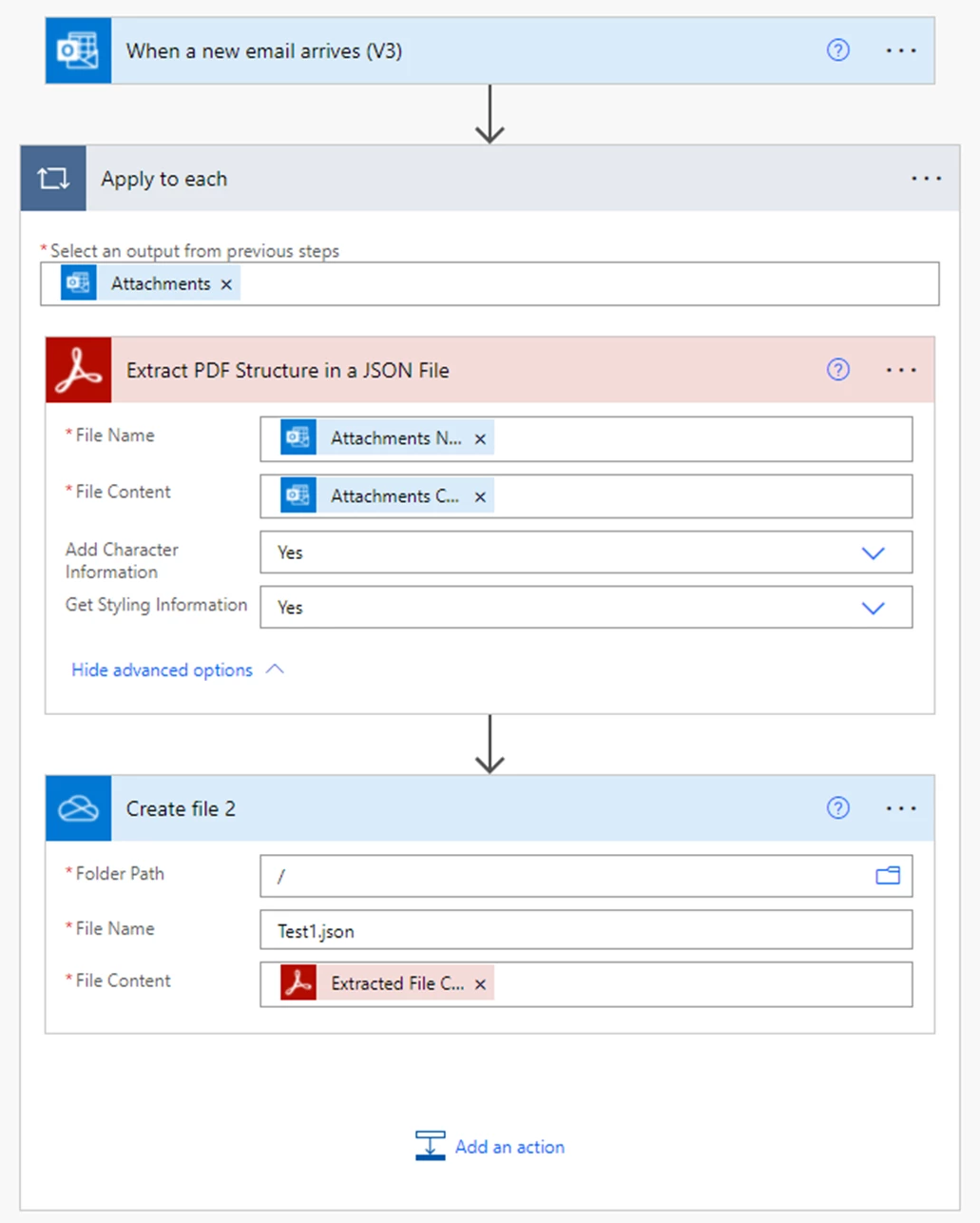
We are wanting to parse a PDF email attachment, extracting specific text and putting it into a SQL Server database. 


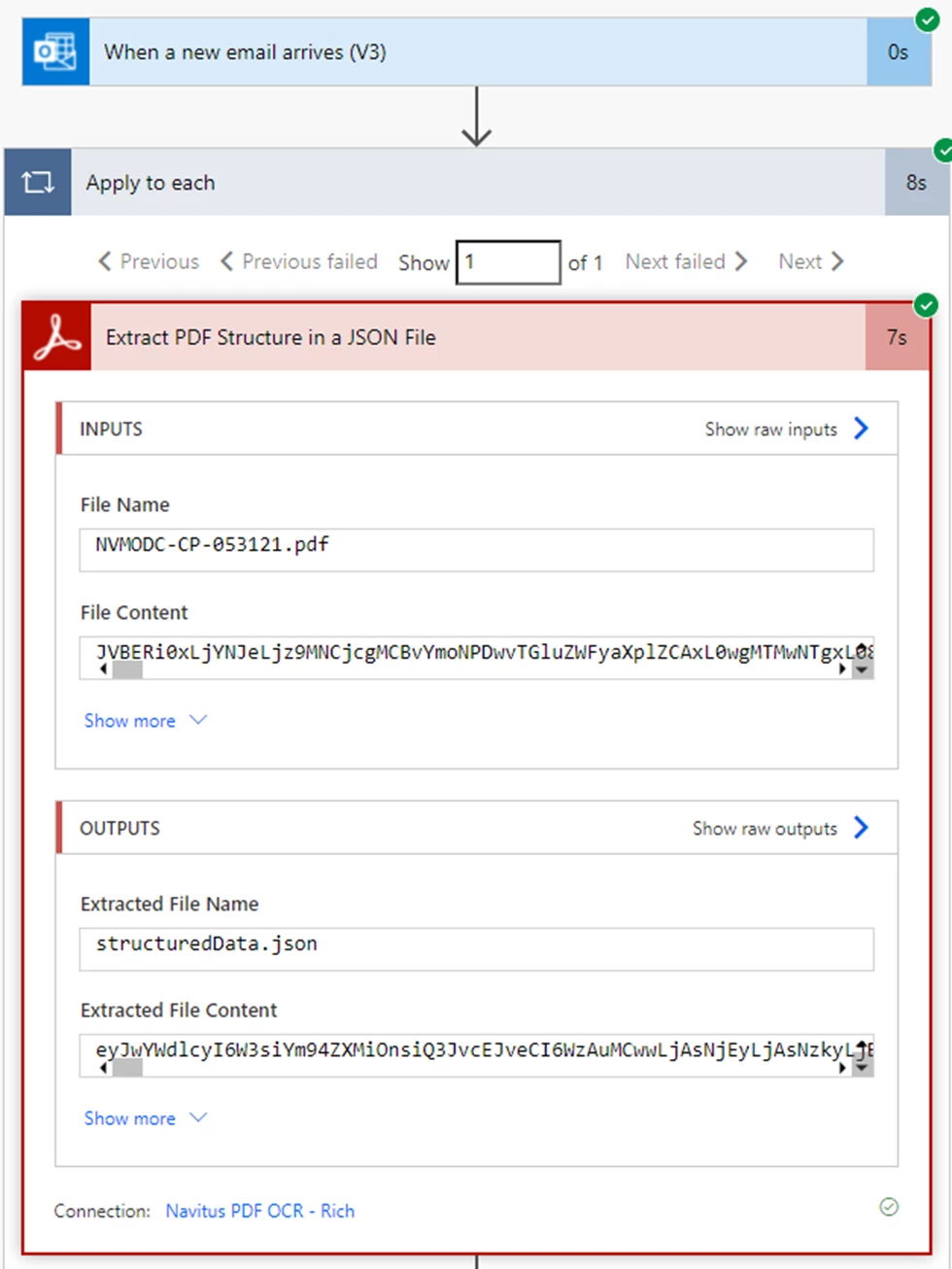
I'm using Adobe Services "Extract PDF Structure in JSON File" in a Microsoft Power Automate Flow.  The output is outputs('Extract_PDF_Structure_in_a_JSON_File')?['body/jsonFileContent'], which is unreadable.  How do I convert that to something I can work with?


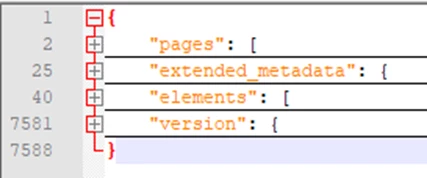
Also, I was able to output that to a JSON file.  I don't know much about JSON.  When I open the file in Notepad++ I see there are four sections, "pages", "extended_metadata", "elements", and "version".  I only need the data in the "elements" section, and that section is a JSON array.
 

In the "elements" array the fields I need are all called "Text":
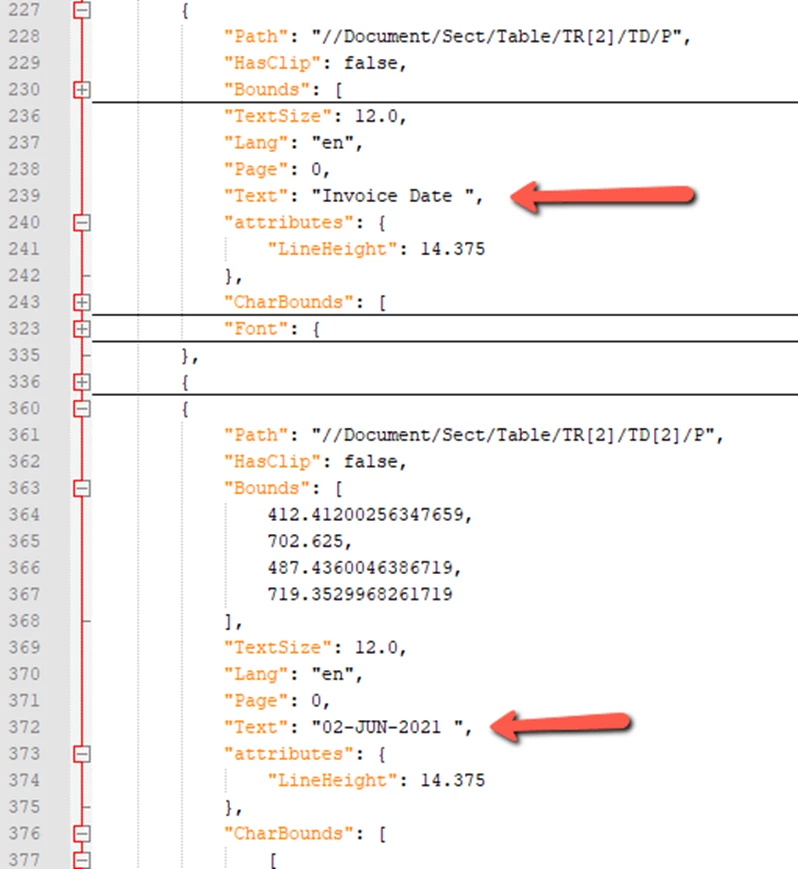
 

Any suggestions how to get this data so I can put it into a database?  Thanks!


Here's my flow:
 

And the run:


이 주제는 답변이 닫혔습니다.
최고의 답변: Richtpt

I have figured this out.


I have a Compose action to convert the Extract output - base64ToString(output).

A second Compose to convert that to JSON.

Then a select to get the 'elements' values I need.

2 답변

Ben Vanderberg
Community Manager
Community Manager
April 8, 2022

Glad here you found the solution. The other option is you can use Extract PDF Structure in a JSON Object, which will return in the body the JSON that you can then use a Parse JSON action to use in the rest of your flow.

Participant
April 4, 2023

I have a similar flow - using the Extract to JSON (both object and tried with file) but when I inspected the contents of the JSON text, I do not see any values that were supplied to the fillable PDF. Searching for things known in the PDF (an amount field, name field, signature printed field) and nothing seems to be getting extracted. Any thoughts on why this is?

Participant
October 31, 2024

Same as of today. Elements returns null after parsing JSON using the Adobe extract schema.

Richtpt
Richtpt작성자답변
Inspiring
March 23, 2022

I have figured this out.


I have a Compose action to convert the Extract output - base64ToString(output).

A second Compose to convert that to JSON.

Then a select to get the 'elements' values I need.

Participant
October 30, 2024

Long shot here...But would you be able to show your whole flow? I'm stuck where you were but not following your compose actions. I get expression not valid.