

Acrobat Pro DC does not print in landscape mode from Mac Sierra to HP wideformat DesignJet T930
Hi,
We have a brand new HP DesignJet T930 which is a 36" wide-format printer. Most of our computers are Macs running Sierra. And our Adobe apps are latest version from Adobe Creative Cloud.
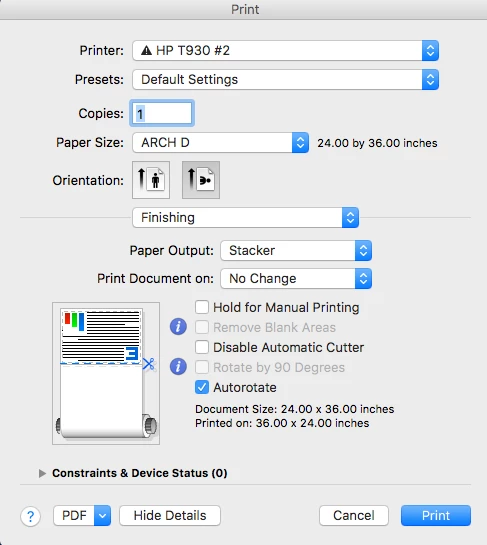
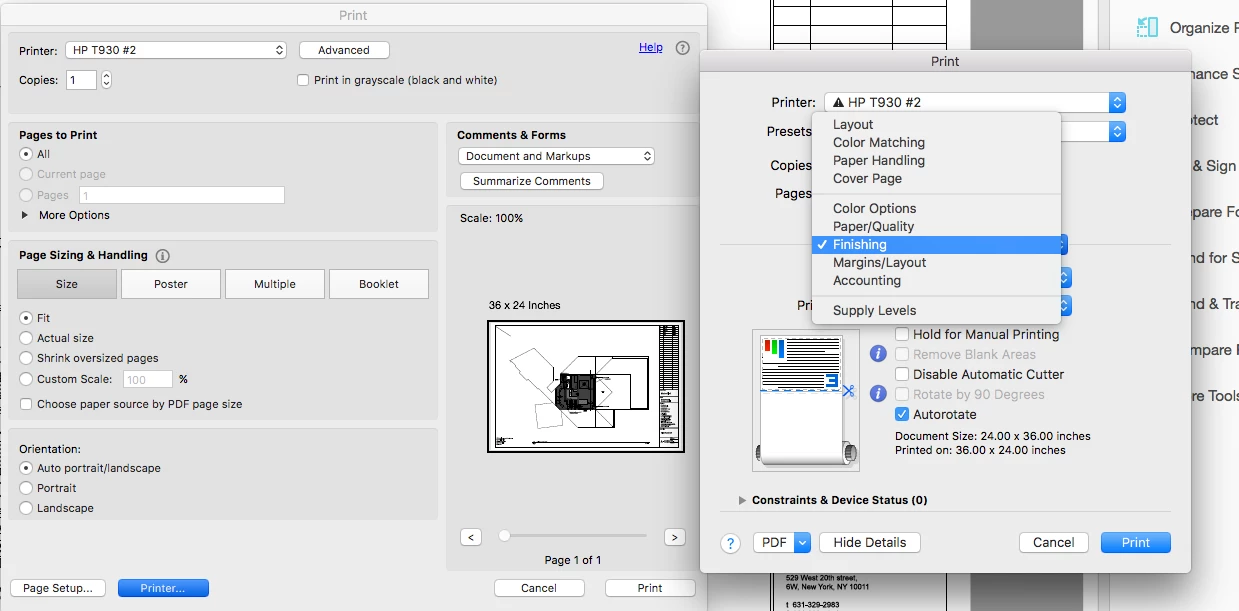
Since we purchased the printer five weeks ago, we have been trying every possible option (factory resets, changing paper brand, changing hardware components, many driver re-installs) to print in landscape mode. The problem has been trouble-shot thoroughly by HP. Finally today, a third technician discovered that we could print in landscape mode from Autocad and Preview; both of these programs have a print dialogue that has an option called 'Finishing'; under this tab, you can click 'Autorotate' (not the same 'autorotate' as in the main print window) and print in landscape mode.
see 'autorotate' is checked under Finishing option:
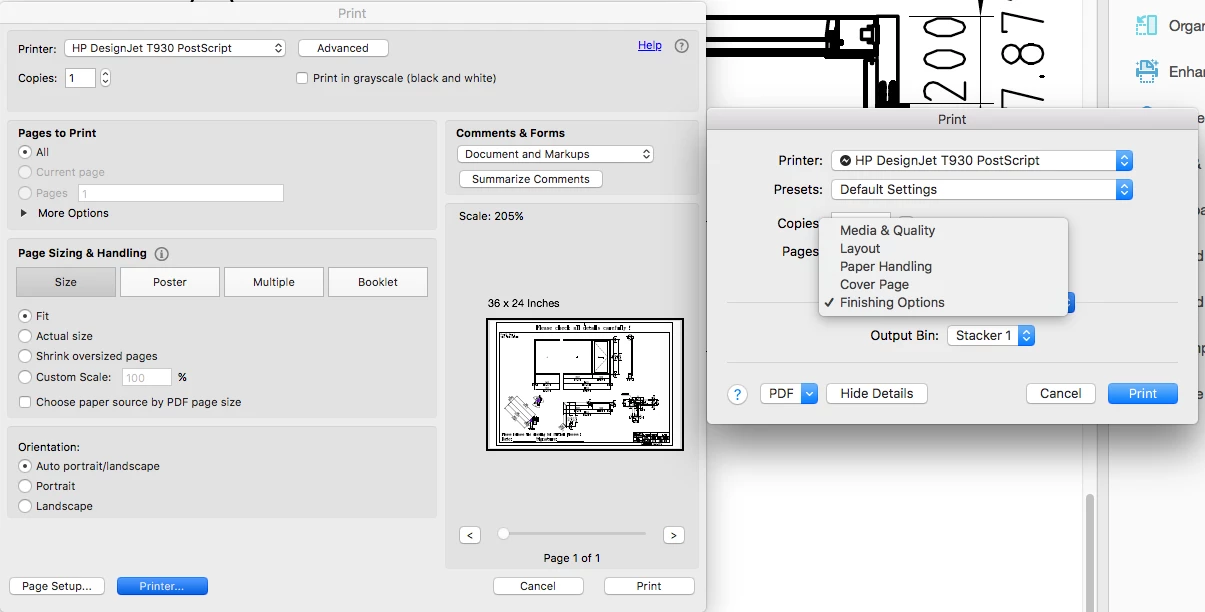
When printing with Acrobat, the 'Finishing' tab is not available. And the typical landscape mode, or auto portrait/landscape modes in the main window do not work.
The auto portrait/landscape option is checked. There is no 'Finishing' option as there is when printing from Autocad or Preview.
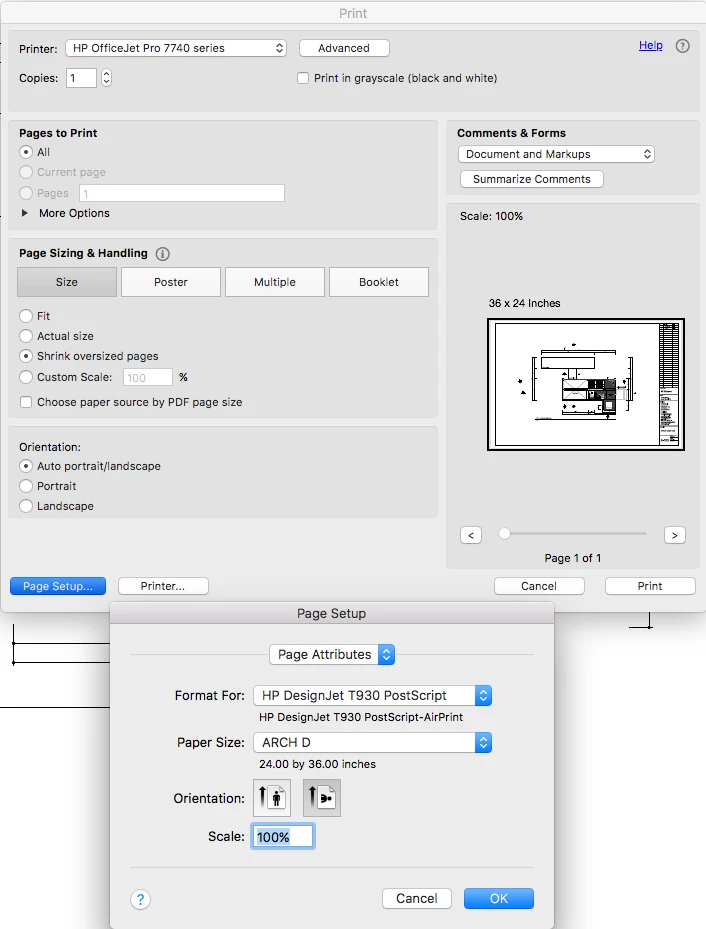
ThreeHP technicians and many phone calls, and every print configuration that we tried, we cannot print from Adobe Acrobat in landscape mode. HP claims now that this is an Adobe issue.
If anyone has had experience with this, please let us know.
MB
 AdChoices