Hi. I've been having the same issue. Is there any solution to usuing Acrobat DC? If not, how to I download an older version?
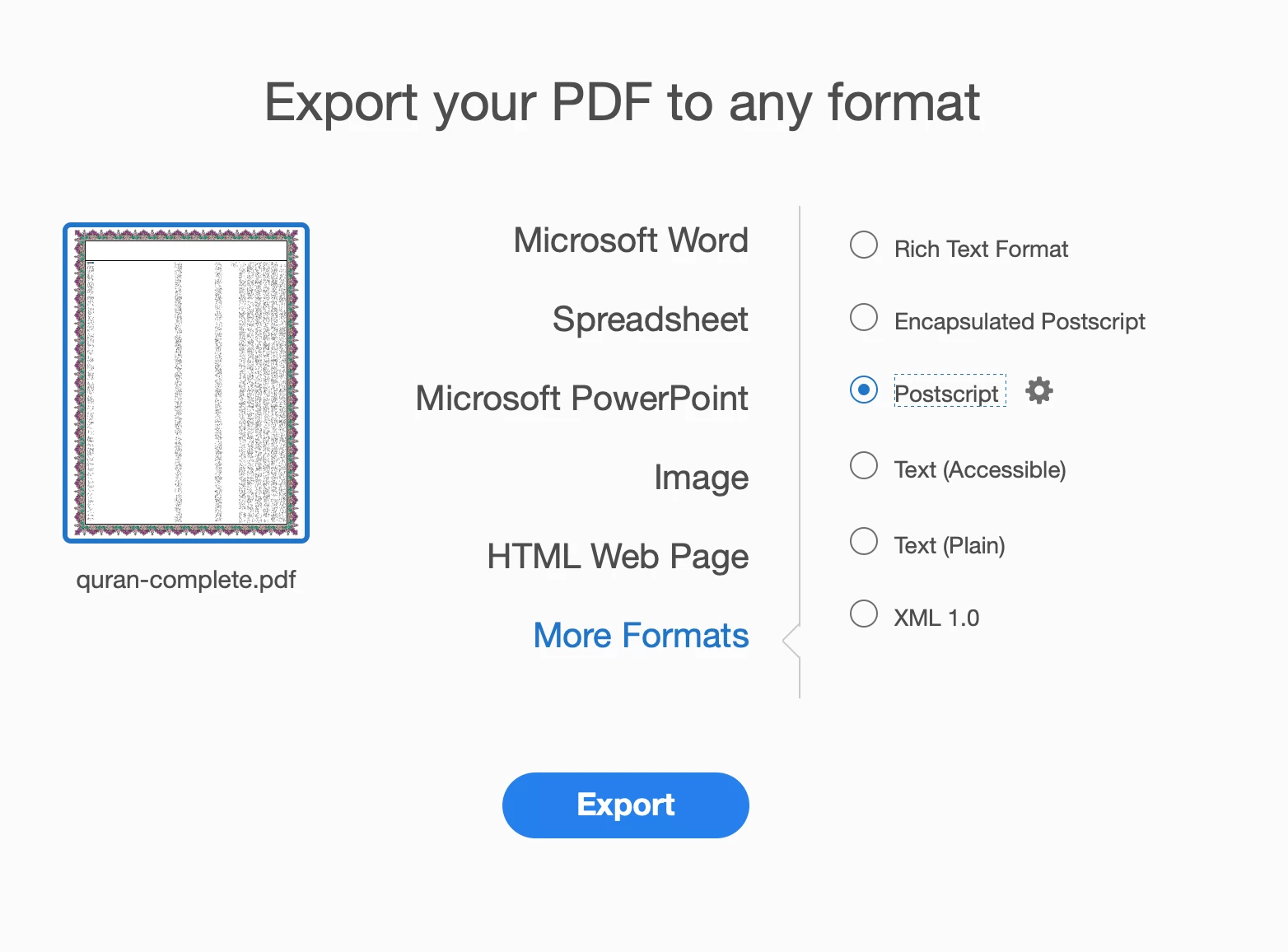
Yes there is a solution and here it is (in Mac):
First open your pdf document in acrobat DC. (obviously it should not be signed document which prevents it from being editable)
Once you open your document you will have the error the moment you click edit...Right?
What you need to do then is: EXPORT PDF from the tool tab.
it will give you options you need to click the link of "More Formats"
Then you choose: " Post Script", save it to your desktop or document folder.
Now close your PDF document and keep the acrobat DC open.
Click from the tool tab "Create PDF"
You will choose the file you just created with the extension .PS (stands for post script).
Once you do that you will have the PDF created, save it under a different name so you do not overwrite your original document.
Then open this new PDF in acrobat DC and VOILA ....YOu will be able to edit it.

 AdChoices