
lydiab999
Participating Frequently
February 26, 2019
Question

Adobe Acrobat Pro Image Export not Capturing Full Image

  • February 26, 2019
  • 2 replies
  • 1883 views

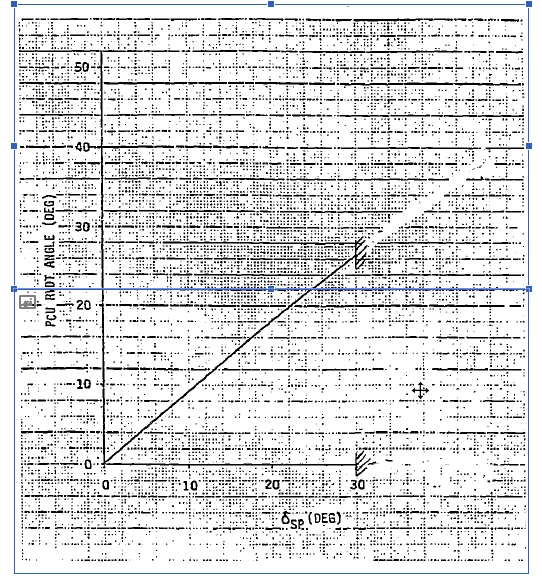
I've been trying to export just the images in a pdf, but when I got to Export > PNG (and select Images) I get a problem where Adobe chops 50% of my images in half. In Edit mode, I can see that the image is cut into 2 selection boxes, right down the middle. Is there a way to fix this? I'm trying to export hundreds of images from hundreds of pdfs, and really don't want to do it manually.
This topic has been closed for replies.

2 replies

Karl Heinz  Kremer
Community Expert
Community Expert
February 26, 2019

In addition to what Dov said, Acrobat itself, actually split up large images into bands of smaller ones at some point in time (my memory is a bit fuzzy, but I would guess back in Acrobat 6 or 7).

If you have Adobe Acrobat Pro DC, you can stitch these images back together using the Preflight tool:

After you start the preflight tool, make sure that the "single fixups" category is selected. To make finding the fixup easier, just type "detect" into the search field, and you will see the "Detect and merge image fragments" fixup. That should merge your two half images back into one complete image.

Dov Isaacs
Legend
February 26, 2019

Actually, Acrobat itself didn't split up images, but if you printed to the Adobe PDF PostScript printer driver instance (or its predecessor) with images with any transparency, the application/driver combination often split up the image due to flattening to eliminate the transparency (PostScript doesn't support live transparency).

          - Dov

- Dov Isaacs, former Adobe Principal Scientist (April 30, 1990 - May 30, 2021)
Legend
February 26, 2019

If Acrobat exports two images, it's because the PDF already has two images. So it isn't a decision made during Export, it already happened.

lydiab999
lydiab999Author
Participating Frequently
February 26, 2019

But why would the above image be 2 images? It's clearly one graph. Is there any way to merge this into 1 easily?

Dov Isaacs
Legend
February 26, 2019

The pdfs are downloaded from an internal company website. Some of the pdfs were originally created back in the 70's, and modified every couple years through today. Perhaps it's an issue with the pdf being so old. I can't see why the author of the file wouldn't have split only some of the images perfectly in half and arranged them side by side. It's odd... been puzzling me for a week.


lydiab999  wrote

The pdfs are downloaded from an internal company website. Some of the pdfs were originally created back in the 70's, and modified every couple years through today. Perhaps it's an issue with the pdf being so old. I can't see why the author of the file wouldn't have split only some of the images perfectly in half and arranged them side by side. It's odd... been puzzling me for a week.

That is literally impossible! PDF as a document format didn't exist until the 1993 when Acrobat 1.0 was released by Adobe! 

          - Dov

- Dov Isaacs, former Adobe Principal Scientist (April 30, 1990 - May 30, 2021)