

Question
Autocad files to pdf will be disabled
Recently, when trying to combine AutoCad dwg files to a single pdf file, by highlighting in Windows Explorer, right click and select "Combine files in Acrobat...", the following message appears:
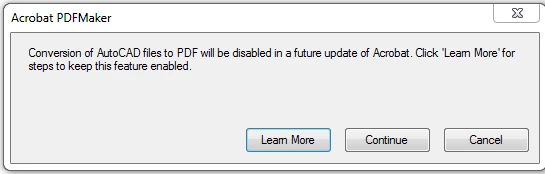
When I then "Continue", the process will start, but after each successful process for an individual file, the same message panel will display. I again click "Continue" and the next file selected is processed. And so on.
Using Acrobat Pro 2017. AutoCad dwg files are from 2019 release.
This never used to take place. Does anyone know what is going on? Do AutoDesk and Adobe have a rift of some kind going on?
 AdChoices