Participant
November 30, 2018
Question

Can't add watermark

  • November 30, 2018
  • 2 replies
  • 6874 views

Hi,

iI can't add watermark ("filigrana" in Italian) on my document anymore. There's no protection or else, and I tried to do on other files.

Where I'm wrong?

this is my MAC
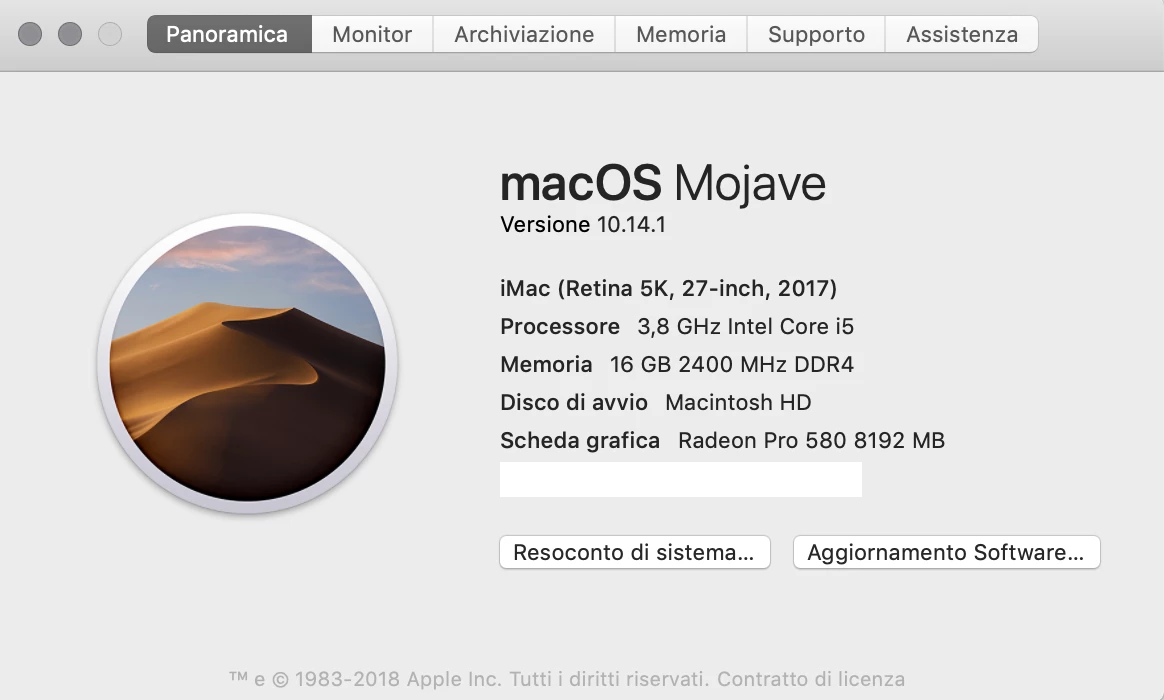
Messaggio modificato da Marco Vecchini

This topic has been closed for replies.

2 replies

Participant
December 21, 2018

It still doesn't work

Adorobat
Community Manager
Community Manager
December 21, 2018

Hi VampireSquid,

Could you try installing the latest patch for acrobat using "Check for updates" option under "Help" menu and check if that resolves the issue.  You may also download updates from here: Adobe software and product updates

Reboot the machine after installing update and try again.

-shivam

Participant
December 21, 2018

Perfect! Now It's works.

Adorobat
Community Manager
Community Manager
November 30, 2018

Hi VampireSquid,

As per the issue description mentioned above, you are facing issue when trying to add watermarks on a pdf, is that correct?

Could you try rebooting the machine once if you haven't already and try again? Does that work?

Also, check if an update is available for Acrobat using "Check for updates" option under "Help" menu,  You may also download updates from here: Adobe software and product updates

Reboot the machine after installing update and try again.

Does this happen with a specific file? Have you tried adding watermark on another pdf file?

Also, let us know dot version of Acrobat and the operating system installed on the machine? You may refer to the steps given in this link on how to check the version in Acrobat: Identify the product and its version for Acrobat and Reader DC

Let us know if you need any help.

Shivam

Participant
November 30, 2018

I Reboot the machine, but it still doesn't work.

I tried another file, but it still doesn't work. I uninstalled and reinstalled Acrobat DC, rebooted the machine, but the problem remains.

Acrobat has the last update.

My version of Acrobat DC is 2019.008.20080 and I have MacOS Mojave vers. 10.14.1 as an operating system.

Adorobat
Community Manager
Community Manager
December 6, 2018

Hi VampireSquid,

Thanks for the info. Try replicating the issue in a new user account by clicking Apple menu > System Preferences, then click Users & Groups , Login into that account, launch Acrobat from there and check.

-Shivam