
Participant
June 9, 2021
Answered

Create PDF that opens a URL

  • June 9, 2021
  • 2 replies
  • 4729 views

Hi all, not sure if anyone can help me here but I am trying to create a PDF file that automatically opens to a URL when opened. Here is an image of what I am talking about:
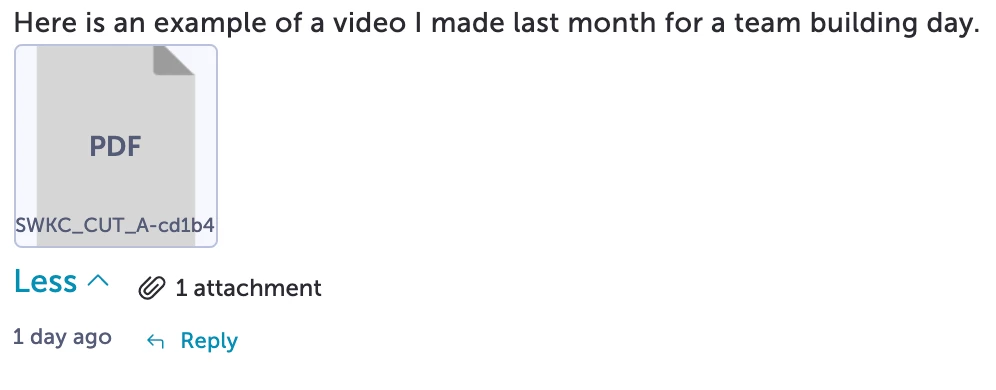
 

This uploaded document opens a new tab in the same chrome browser to a URL that hosts a video. Any help / suggestions would be greatly appreciated - not even sure if this is something acheivable through Adobe Acrobat but I thought I would give it a shot.


Thanks in advance!

Correct answer J E L

I see, that does help explain it! If the site prohibits external linking, then you do need some workarounds and it may still not be accepted. It all depends on what the site allows. I don’t think this is a PDF or Acrobat situation. You’d need to use some HTML to wrap the file in an anchor tag with the URL you want to link to. Are you able to access a text editor when you make your post with the attachment? Is this a moderated chat or bulletin board environment? Maybe someone else will have more ideas!

2 replies

J E L
Community Expert
Community Expert
June 9, 2021

@Henry.T,

I’m not exactly clear yet on what you are trying to achieve. You are trying to create a PDF file. From what? What is in the PDF file? A hyperlink to a video? Other information that a user needs to have? What is the reason for using a PDF as an intermediary to a video URL destination? Why can’t you hyperlink directly to the video? Basically, if a PDF is hosted by a website’s server, that PDF has a unique URL that is based on the file name you upload (you can change this if needed) and you can directly link to that PDF on a webpage and by clicking on the link, you can open the PDF in the same browser window or a new tab (depending on how you set the hyperlink). But if inside the PDF there is a hyperlink to some other URL, then no, you can’t have that link automatically open without first opening the PDF to access it.

Henry.TAuthor
Participant
June 9, 2021

Hi Jain, thanks for getting back to me - I understand that this is a puzzling request and I completely agree that the 'why' is dumb. The reason I need this is because the site I am uploading this PDF, JPEG or what ever it is, does not allow me to post any links / URLs. And the example I included is an attachment another user uploaded that when clicked, opens a new tab to a URL that is somehow linked to that attachment - I am trying to figure out how they created this attachment. This 'attachment' may well not be a PDF - I have no idea, but I am trying to replicate what they did and cannot for the life of me understand how they did it, so I started this thread in hopes of finding an answer. Does this clear things up a bit?

J E L
Community Expert
J E LCommunity ExpertCorrect answer
Community Expert
June 9, 2021

I see, that does help explain it! If the site prohibits external linking, then you do need some workarounds and it may still not be accepted. It all depends on what the site allows. I don’t think this is a PDF or Acrobat situation. You’d need to use some HTML to wrap the file in an anchor tag with the URL you want to link to. Are you able to access a text editor when you make your post with the attachment? Is this a moderated chat or bulletin board environment? Maybe someone else will have more ideas!

Document Geek
Community Expert
Community Expert
June 9, 2021

I don't think that's something that can be achieved through a PDF. The user would have to click on the link, rather than it open automatically.

Henry.TAuthor
Participant
June 9, 2021

Hi there,  thanks for the quick response!


Yes you are right, the user has to click on that attachment for the URL to open. Is that still acheivable through a PDF document or is that example image I included not a PDF?