
Participant
February 13, 2020
Question

Fillable form not letting me type into

  • February 13, 2020
  • 6 replies
  • 7146 views

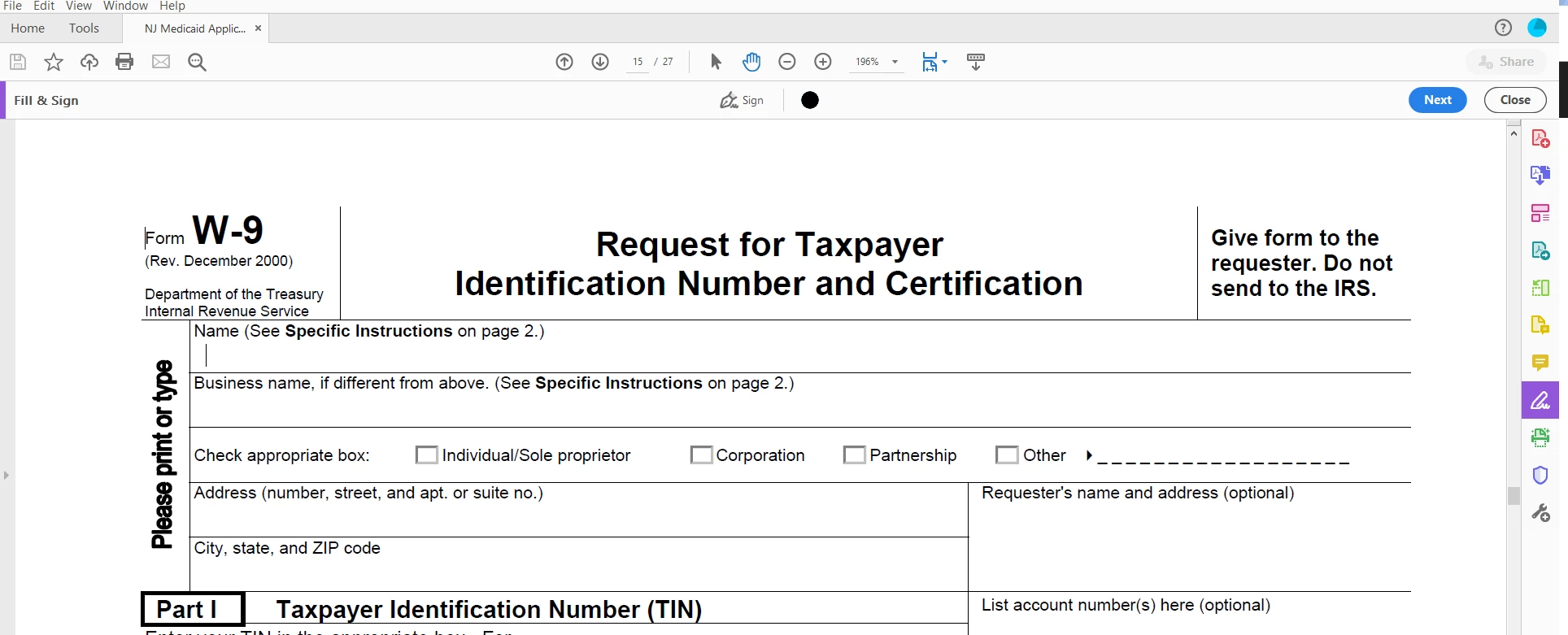
Hove Acrobat DC pro and have a form from state of NJ that is fillable. I go into Fill and Sign and when I tab to a filed, the "hand" cursor turnsinto and I beam  but won;t let me type into the field. Any suggestions. ? I've attached a screen cut and the actual form
This topic has been closed for replies.

6 replies

Participant
December 2, 2020

Some update with Acrobat DC earlier this year broke fillable forms.  I have this issue with several forms from goverment sites that are intended to be fillable.  Something is not allowing this with the recent Acrobat DC.  I suspect that forms created in older versions is the issue.  Sure has been frustrating and time consuming to deal with this issue.

Participant
October 10, 2021

How have you worked around the issue? I am having the same issue....it is definitaly a fillable form and I checked the security setting and the form is allowed to be filled in


Progressive Graphics VB
Inspiring
June 18, 2020


I'm sure the author had all the best intentions of creating a form for you and other NJ residents to fill out but above is what I see as a huge issue.

If you use your own copy of DC to "Prepare Form" it will automatically create the fillable areas for you. Maybe not everwhere but at least most of it and those that it doesn't you should be able to add manually if you have the time.

Wilder.Bolaños
Community Expert
Community Expert
June 18, 2020

Hello,


Something in the metadata maybe, disable the fill options, I have sterilized the document in Protect, then I am going to fill and sign and I have all the options.


I hope it works.


Cheers,

WbolanosCo
try67
Community Expert
Community Expert
February 13, 2020

As I thought, this file doesn't actually have any form fields in it. You can add text to it using the Add Text commenting tool, though.

JR Boulay
Community Expert
Community Expert
February 13, 2020

"I go into Fill and Sign"

Why?

Acrobate du PDF, InDesigner et Photoshopographe
try67
Community Expert
Community Expert
February 13, 2020

The actual form is not attached to your message. My guess is this form does not contain actual form fields and does not allow you to fill it in digitally, which means you need to print it out and fill it by hand. If you share the actual file it will be easier to say for sure, though.

Participant
February 13, 2020

Thank you for your reply. Maybe I'm blind but I don;t see where I can attach a pdf, just url links and pic and video files. Any suggestion?

try67
Community Expert
Community Expert
February 13, 2020

You can attach it to the original message using the tiny paperclip icon at the bottom when you edit it, or upload it to a file-sharing website (like Dropbox, Google Drive, Adobe Cloud, etc.), generate a share link and then post it here.