

Filled form data not showing correctly
Hi all,
We create documents using Adobe Acrobat DC that other employees have to fill in and return.
Once the document is completed, it is then reviewed by senior management, however, if they use Microsoft edge (or any other browser) to review, the document appears fine, but if they use Adobe Acrobat (or any other variation of Adobe including reader), the drop down fields are not displaying the correct information.
We do not have any Apple devices (I have already researched this particular issue !), so it is not apple preview that is causing this issue.
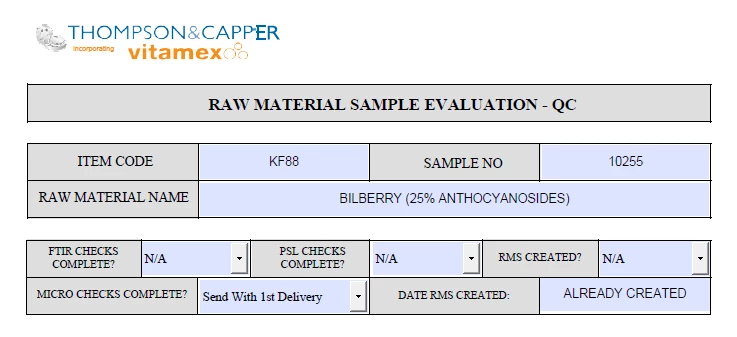
Below is the completed form that is NOT showing the correct data in the drop down boxes using Adobe Acrobat DC:
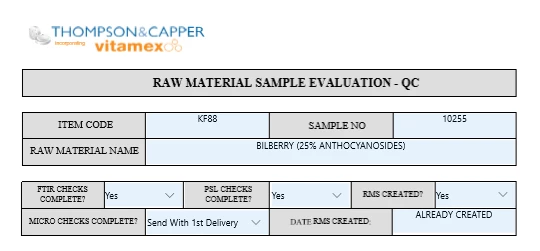
And Below is Microsoft Edge showing the correct information:
Any ideas would be greatly appreciated.
Thanks in advance
Rob
[Moved out of the LiveCycle General Discussions forum into an Acrobat support forum - moderator]
 AdChoices