Answered
How do I customize the footer page numbers?
I am needing for page 4 to start numbering as page 1 for printing. I have Adobe Acrobat 8.0.
Thanks!

I am needing for page 4 to start numbering as page 1 for printing. I have Adobe Acrobat 8.0.
Thanks!
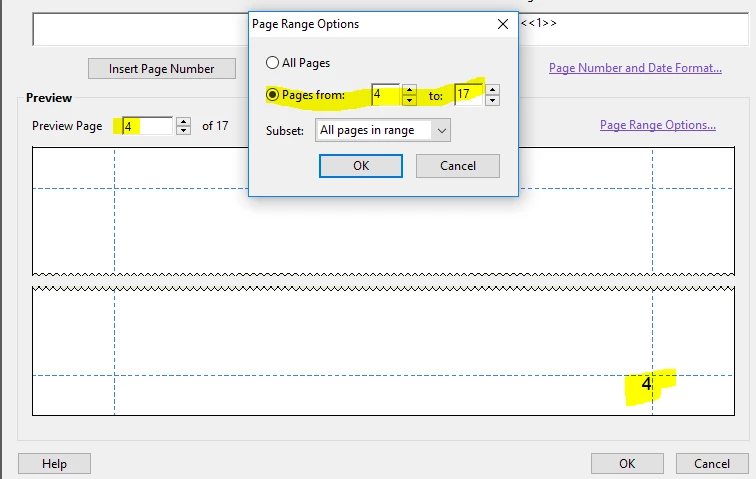
That is exactly what I have done but it will not restart the numbering as page 1 on page 4.
OK - I have the solution, I believe. In your thumbnails (Pages) panel, click on the options button and select Page Labels. If you set the Pages range to From 1 to 3, and Numbering to Begin new section/style None, the result is no numbers on 1 - 3, and page 4 is then labelled "1".
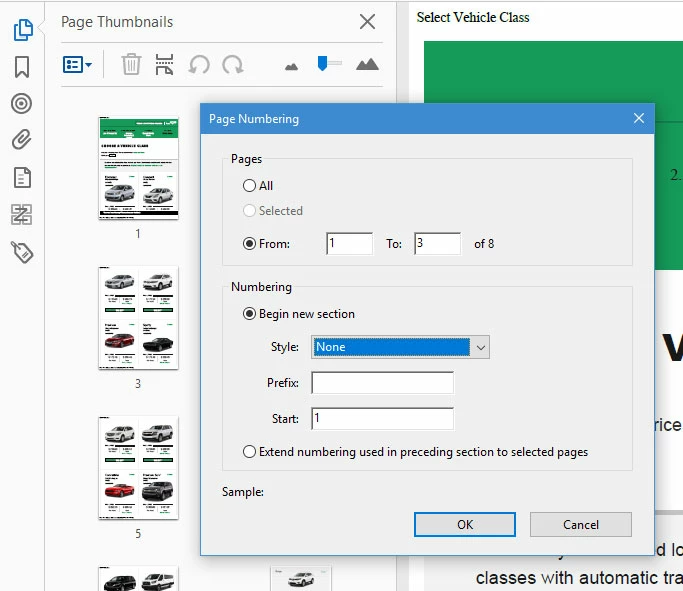
Let me know how that works.
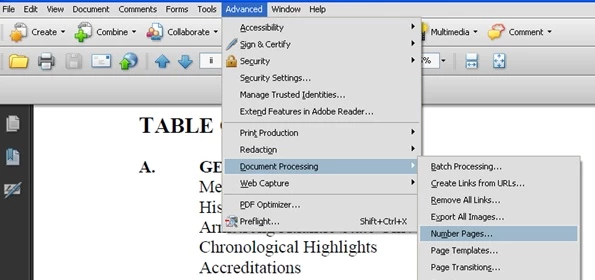
EDIT: I forgot you are using Acrobat 8. The same command is found as shown below, hopefully:
My best,
Dave
Already have an account? Login
Enter your E-mail address. We'll send you an e-mail with instructions to reset your password.
 AdChoices