Inspiring
April 24, 2018
Answered

HOW TO LOW REZ PDF - Have print Resolution, need Web Rez

  • April 24, 2018
  • 1 reply
  • 1123 views

can someone refresh my memory how to compress my 300ppi pixel objects into 72ppi JPG

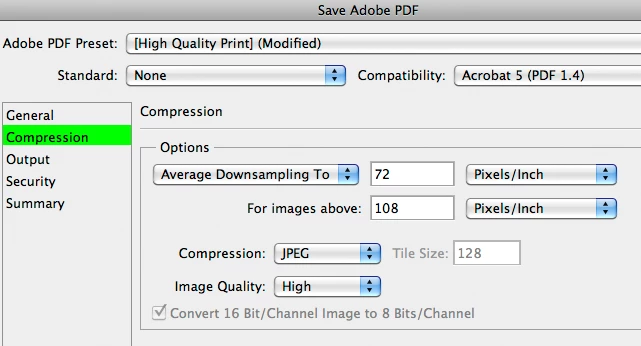
I know how to do it Exporting PDF from InDesign and Photoshop PDF, i'm just fuzzy on from within Acrobat - how to save out a 72ppi version

my client's PDF is 16 pages 11x22 for Print (pixel based graphics are 300 ppi or higher)

its on the HDD at 25MB

I am trying to get to an Acrobat dialog to this familiar COMPRESSION setting to re-purpose my print version into 72 ppi while maintaining my vector (text and stuff)

thanks in advance...
This topic has been closed for replies.
Correct answer gator soup

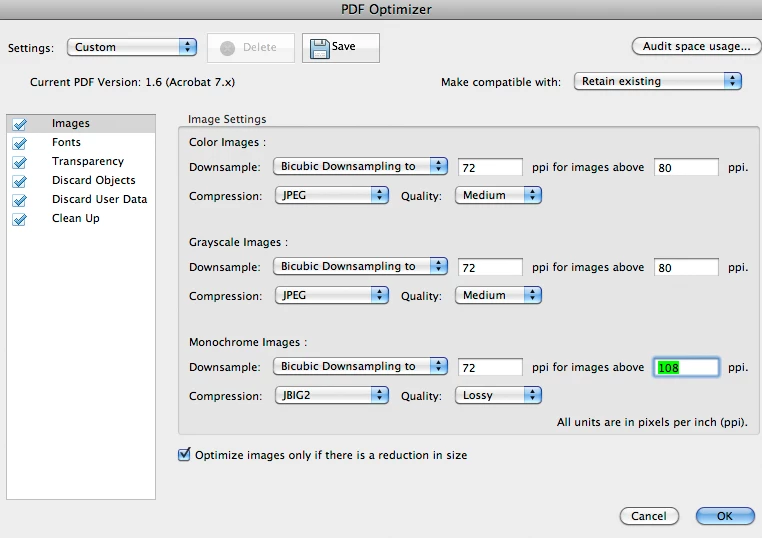
Save As: Optimized PDF... looks promising

correct, best way?

i'm marking this correct inasmuch for no one came in to comment it wasn't

1 reply

Inspiring
April 24, 2018

using Acrobat Pro CS6 on Mac OSX macOS (10.6x)

Inspiring
April 24, 2018

Save As: Reduced Size PDF only got me to 18MB (and no Compression option)

i would like to get smaller, more control over the compression, so i know what's going on...

gator soupAuthorCorrect answer
Inspiring
April 24, 2018

Save As: Optimized PDF... looks promising

correct, best way?

i'm marking this correct inasmuch for no one came in to comment it wasn't