
September 2, 2014
Answered

How to reduce file size in Acrobat XI?

  • September 2, 2014
  • 2 replies
  • 36253 views

How can I to reduce the file size is Acrobat XI Pro? Up until v.9, it was just a matter of opening the pulldown menu Documents > Reduce File Size. and then some more. How's that done in the newer versions of Acrobat?

This was simple and easy:
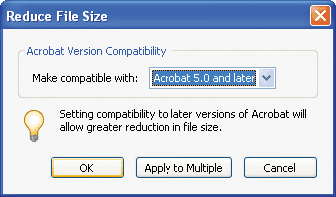
acrobat9cib_058-59.gif

This topic has been closed for replies.
Correct answer Bernd Alheit

Look in the menu File > Save As Other...

2 replies

Participant
August 7, 2015

I am also looking to reduce file size which used to be easy. When I select other now, it converts to word, but not reduce pdf. Help!

Bernd Alheit
Community Expert
Bernd AlheitCommunity ExpertCorrect answer
Community Expert
September 2, 2014

Look in the menu File > Save As Other...

September 3, 2014

Works like a charm... I have a pdf file of a A1 size drawing that went from 6,7 to 1.7 Mb. The rendered image became slightly grainier (hardly noticable), but the text recognition stayed intact. Magnificent!

FYI I've tested this file size reduction in three different runs:

Save As Other... > Reduced Size PDF... (Acrobat 1.4 comp.) 1,69 Mb

Save As Other... > Reduced Size PDF... (Acrobat 1.6 comp.) 1,75 Mb

Save As Other... > Optimized PDF... 1,73 Mb

Participant
August 7, 2015

I recently updated Adobe Reader & now don't see that function available...Help!