
Participant
February 21, 2018
Answered

Map lines jumbled and incorrect when printing from Acrobat

  • February 21, 2018
  • 2 replies
  • 1044 views

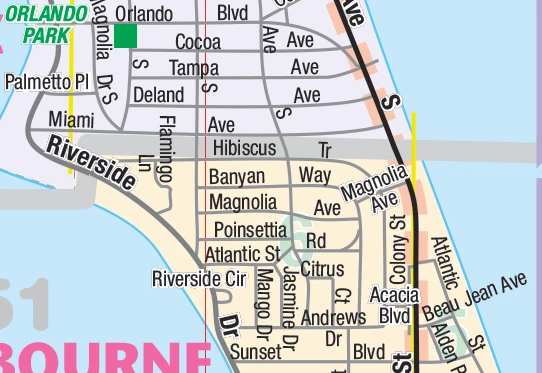
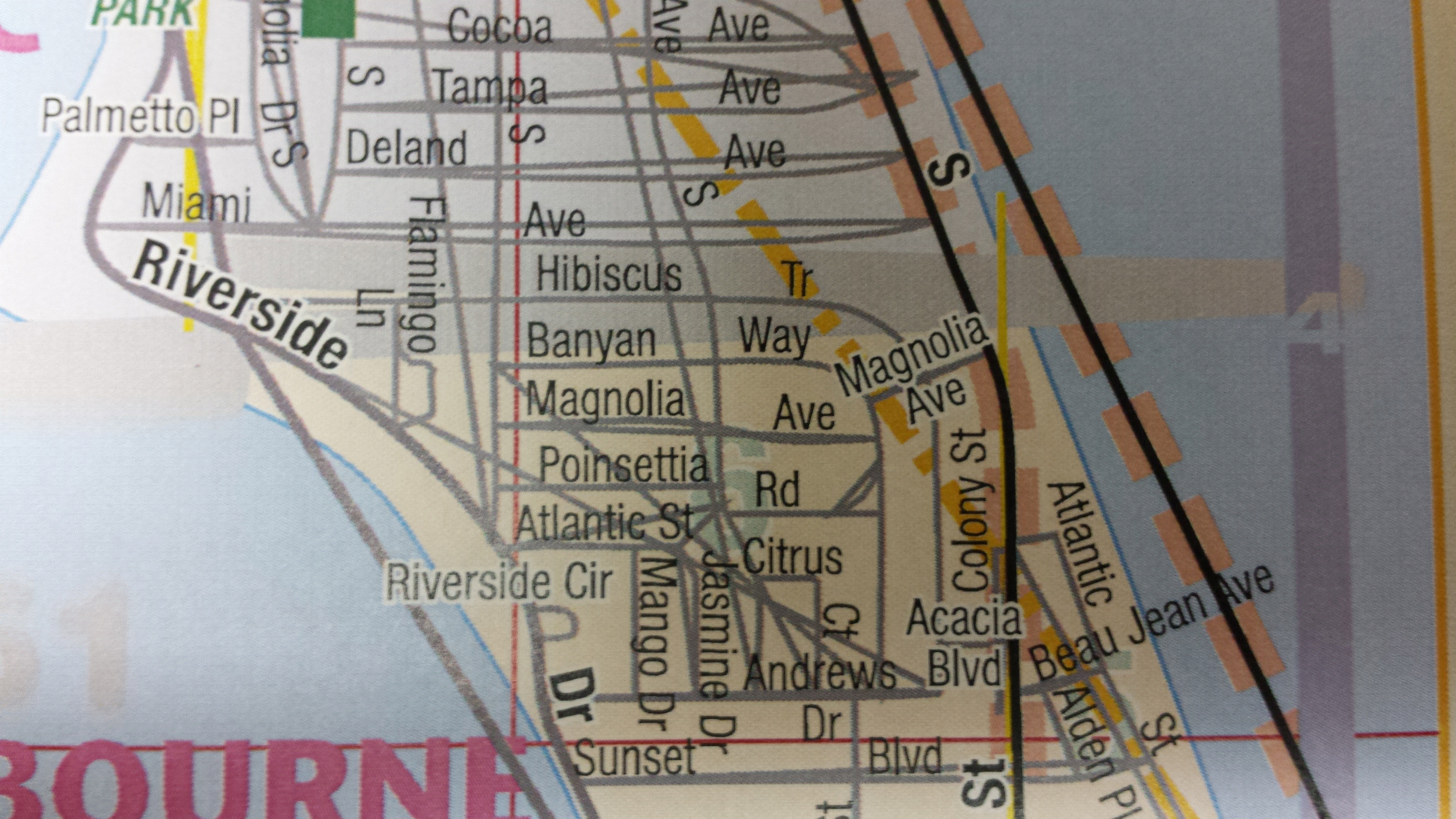
We have developed/designed a map book with 150 pages using Illustrator & InDesign. We are seeing issues with some of the street centerlines and other line layers after printing, although everything looks good on the screen in InDesign & Acrobat.

We exported using the High Quality Print preset. Here are examples (1st image is correct):
Any ideas? Thanks!

This topic has been closed for replies.
Correct answer Abambo

Using raster is not a good practice.

Try first "print as image"  in the advanced tab of the Acrobat print dialogue box. Print as image is a workaround to see if the printer (driver) is the problem.

What is your OS and version? What is your Acrobat and version? What is your Indesign and Illustrator version?

Export presets are not that important for vector images. They are important for producing correct files for your print service provider at a later stage. Generally you should ask your print service provider for the correct settings.

For further advice, it would be good to have access to sample files - in a first stage the PDF file of a faulty page will be enough.

2 replies

Participant
February 28, 2018

Yes, "print as image" has been our workaround - thanks! Still not sure what is the root problem, but I will update this thread if I come across anything.

Now we are dealing with the extremely slow print times for this particular book. We need to keep the print quality high and we have been forced to split the book into 25-page sections for print jobs, but still painfully slow.

Thanks again - Bert

Abambo
Community Expert
Community Expert
February 28, 2018

Hi Bert,

Print as image is slow, as you send page by page as an image to the printer, which represents a lot of data to send over to the printer. However, if print as image works, meaning that Acrobat does the hard work rastering your images, there is a big chance, that the problem lies with the printer driver. What printer are you using? Is it a Postscript printer?

Abambo.

ABAMBO | Hard- and Software Engineer | Photographer
Participant
February 27, 2018

Curious to hear if you found what was wrong.  At a glance, it looks like the vector objects' bounding boxes are showing up.  Is there a way for you to use raster instead?

Abambo
Community Expert
AbamboCommunity ExpertCorrect answer
Community Expert
February 28, 2018

Using raster is not a good practice.

Try first "print as image"  in the advanced tab of the Acrobat print dialogue box. Print as image is a workaround to see if the printer (driver) is the problem.

What is your OS and version? What is your Acrobat and version? What is your Indesign and Illustrator version?

Export presets are not that important for vector images. They are important for producing correct files for your print service provider at a later stage. Generally you should ask your print service provider for the correct settings.

For further advice, it would be good to have access to sample files - in a first stage the PDF file of a faulty page will be enough.

ABAMBO | Hard- and Software Engineer | Photographer