
Question
PDF Form with a Date Selector Set as mm/dd/yyyy, but shows up for them as dd/mm/yyyy
Hello,
I created a PDF form with a field that pops open a calendar to choose the date. My settings show that it says to place as mm/dd/yyyy, but my client is saying it shows up as dd/mm/yyyy. I've tested the form on multiple computers at my office and all show the selected date as intended. So it must be a setting on their computer I'm guessing.
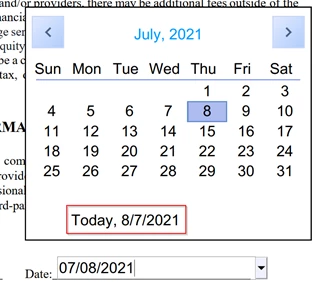
Is there something on their end that may be overiding my settings? They can type in the date and it will stay that way, but if they select a date, it will show the dd/mm/yyyy format that we don't want. A screenshot displays their computer. This shows them typing the date, but the calendar reflecting a different order.
Thanks in advance if you can help.
 AdChoices